

SkyTime
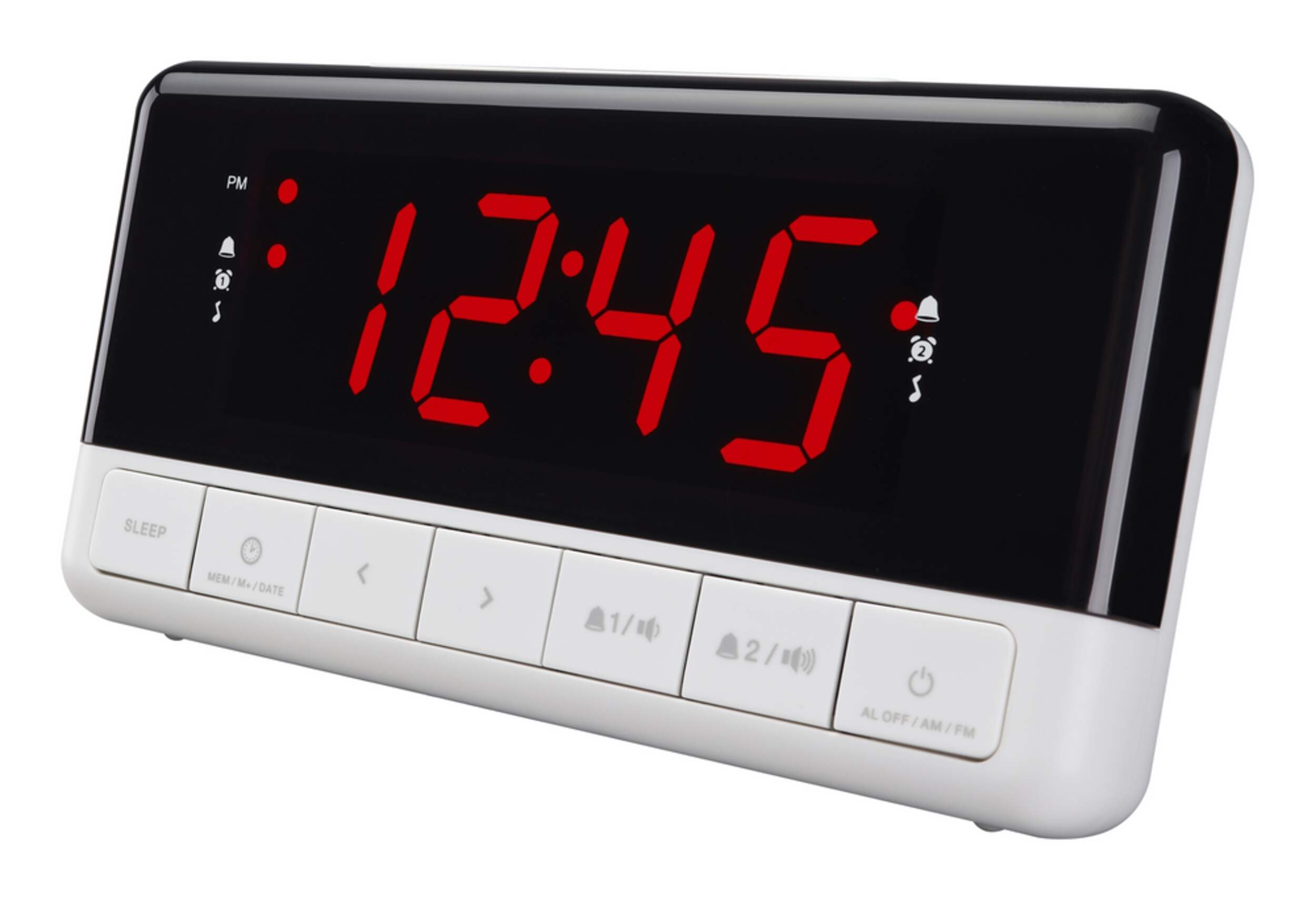
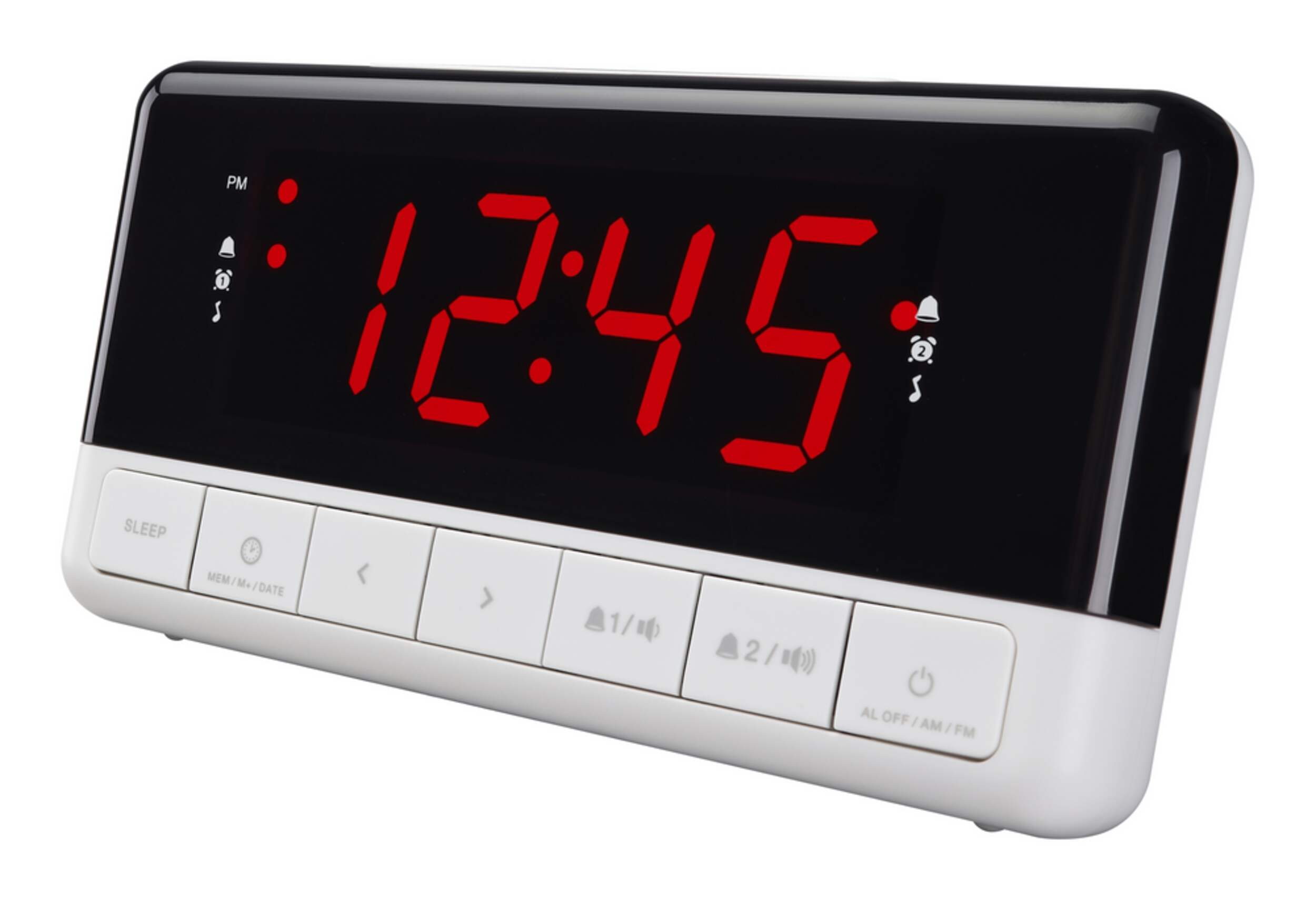
SkyTime Dual Alarm LED Digital AM/FM Clock Radio
Unfortunately, this product is discontinued in your selected store and nearby stores.
You may be interested in these similar products shown below.Similar Items

Quebec residents: For information on maintenance and repair click here.
Similar Items


Product Details
The SkyTime Dual Alarm LED Digital AM/FM Clock Radio is designed for easy time viewing, featuring a large 1.2-inch display that ensures you can read the time at a glance, even in the dark. This versatile model offers both AM and FM radio capabilities, allowing you to enjoy your favourite stations as you wake up. Additionally, the snooze and sleep functions provide flexibility, allowing you to catch a few extra minutes of rest or drift off to your favourite tunes. With its compact design, the SkyTime is a practical yet stylish addition to any bedside table
Dual alarms for flexible use
High-quality plastic casing
Electric operated
Battery backup in case of power outage
Model #: SCR2120
| Part Number | SCR2120 |
|---|---|
| Accessories List | No Accessories Included |
| Advanced Features | Battery Backup |
| Assembled Height (cm) | 8.10 cm |
| Assembled Height (ft) | 0.27 ft |
| Assembled Height (in) | 3.19 in |
| Assembled Length (cm) | 6.50 cm |
| Assembled Length (ft) | 0.21 ft |
| Assembled Length (in) | 2.56 in |
| Assembled Weight (kg) | 0.50 kg |
| Assembled Weight (lb) | 1.10 lb |
|---|---|
| Assembled Width (cm) | 14.00 cm |
| Assembled Width (in) | 5.51 in |
| Assembled Width (mm) | 140.00 mm |
| Batteries Required Quantity | 1 |
| Battery Technology | Alkaline |
| Battery Type/Battery Size | CR2 |
| Clock Type | Alarm |
| Colour | Black |
| Display Type | Digital |
| Displays Include | Time |
| Face Colour/Finish | Black |
| Face Diameter (cm) | 6.00 cm |
| Face Diameter (in) | 2.36 in |
| Face Shape | Rectangle |
| Frame Colour | Black |
| Frame Material | Plastic |
| Frame Type | Frameless |
| Lens Material | Plastic |
| Movement Type | Automatic |
| Numbers Style | Digital |
| Package Depth (cm) | 8.00 cm |
| Package Depth (in) | 3.15 in |
| Package Height (cm) | 11.00 cm |
| Package Height (in) | 4.33 in |
| Package Weight (kg) | 1.00 kg |
| Package Weight (lb) | 2.20 lb |
| Package Width (cm) | 15.00 cm |
| Package Width (in) | 5.91 in |
| Power Source(s) | Electric |
| Product Use(s) | Indoor |
| Smart System Compatibility | No Smart Technology |
- This product carries a 1 year exchange warranty redeemable at any Canadian Tire store.
- Pick Up is free at most stores (some stores require a minimum order value before tax)
- Shipping fee is based on size and weight of products and distance from address to store
- Same-Day Delivery costs $9.99 per order
- Online Ordering Information
- Most products can be returned or exchanged at any Canadian Tire store within 90 days of purchase
- Some products are non-refundable and non-exchangeable
- The return policy outlined above may not apply to the product you are currently viewing. For complete details and eligibility, please refer to our Return Policy for exceptions.
Compare Similar Products
Only Show Differences | Currently Viewing | |||||
| Ratings | ||||||
| Accessories List | No Accessories Included | No Accessories Included | No Accessories Included | No Accessories Included | No Accessories Included | |
| Advanced Features | Battery Backup | Battery Backup | Battery Backup | Digital Tuner, Dimmable, USB Port | Digital Tuner | |
| Assembled Height (cm) | 8.10 cm |


Shop Related Products
- Weekly Deals
- Customers Also Viewed
- Top Trending Products
- More From This Brand
Weekly Deals


Review Highlights
Pros
Cons
Reviews
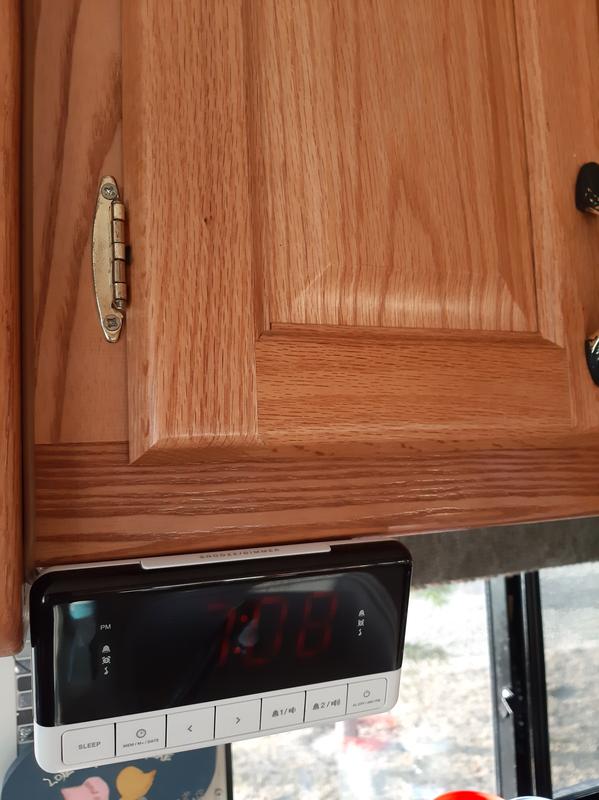
Customer Images and Videos
Filter Reviews
- radio
- instructions
- alarm
- purchase
- returns
- buttons
- settings
- ease of use
Horrible
Lousy. Buy something else.
Great for Seniors
Looks cool
Direction
Questions
Q: Purchased this alarm clock and spent about 5 hours trying to set it up. Date and time I got. Instructions lost me on how to set an alarm. This is why I bought it! Any help would be appreciated.
3 years agoA: I had the same problem so I returned it to Canadian Tire and got a Timex Alarm Clock that is simple to set up and works great.
3 years agoHelpful?
Q: comment augmenter le volume de la sonnerie ?
a year ago- Translate with Google
A: Bonjour Lili, pour te répondre, je n'utilise pas la sonnerie, je ne sais s'il y a un volume pour la sonnerie, peut être communiquer avec le fabricant qui pourrait te donner une réponse. Best regards
a year agoHelpful?
Q: How to set the time on the sky time dual alarm LED digital AM/FM clock radio need instructions
a year agoA: We returned the alarm, as did another customer, as the setting instructions were very complicated.
a year agoHelpful?
Q: Does anyone know how to set (reset) the time? I've tried pressing single buttons and different combinations of buttons and nothing I've tried works. Help, anyone?
a year agoA: There is no "SET" button. Alternatively, You can do this way. After you unscrew the battery part on the back and take out the round CR type battery and put it back and screw again. Then you can see the time setting is blinking. That means you can use volume up or down button to set the time now. Actually, I did it 12 am ( or pm ), because the resetting time begin with 12:00 ......That makes make easier.
a year agoHelpful?
Q: Is the battery CR2032 supplied with the clock?
5 years agoA: No
4 years agoHelpful?
Q: I've read all the answers below - but still have no idea how to set the time on this thing. There is NO SET BUTTON. If I'm wrong, please send a picture of it. My mother lost the manual for this thing and I'm trying to set the time for her.
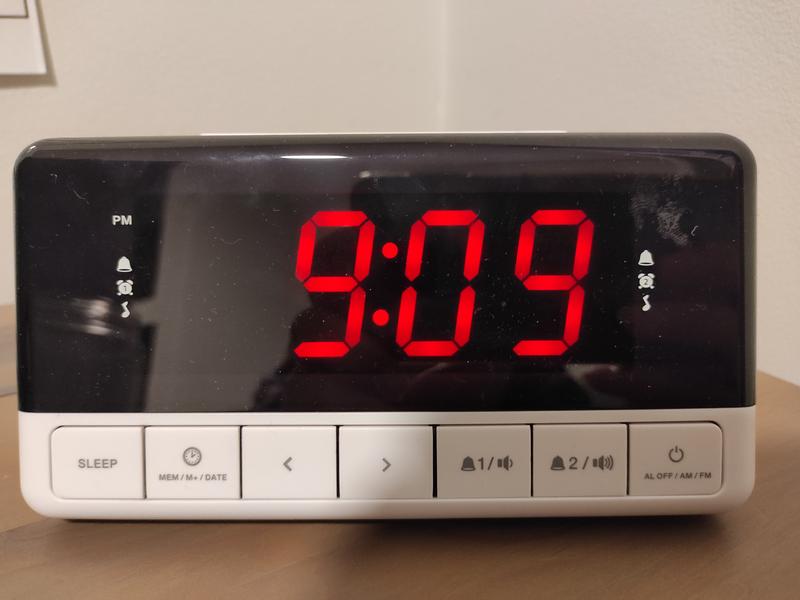
a year agoA: Answering my own question: The set button is actually the second button from the left. Press and hold it -- and you will see the year. Once the year appears, you simply press that button again to cycle through the settings until the time appears -- and then press left/right buttons to change the time. (Found the manual which we thought was lost.)
a year agoHelpful?
Q: How do I preset the radio stations on this alarm clock?
2 years agoA: Hello Tarameal, Setting preset stations The unit can preset 20 stations in total for AM/FM station 1. Tune to a station. 2. Press and hold the MEM/M+ button until “P01” (or the next available preset slot) shows on the display. 3. Press the BACKWARD or FORWARD button to select a preset number (P01-P10). 4. Press the SET button to confirm. The preset station has been set up. 5. Press the MEM/M+ button repeatedly while listening to the radio to select a preset station. Alternatively, press the MEM/M+ button once and then press the BACKWARD or FORWARD button to select a preset station.
2 years agoHelpful?
Q: I do not see a SET button. Please help!
2 years agoA: I do not see a Set button either!! This clock is very confusing!
2 years agoHelpful?
Q: How can I set the alarm? It goes off everyday even though I never set an alarm, I want the alarm turned off
5 years agoA: You will need to push the ALARM 1 and/or the ALARM 2 buttons. The ALARM 1 and ALARM 2 lights on the front panel indicate when the alarm is turned off.
5 years agoHelpful?
Q: 1. How do you get into "standby mode"? 2. The image you supplied for the instruction manual is ridiculously small.
5 years agoA: In setting the time and alarms, the clock radio returns to stand by mode automatically after 3 seconds of non use.
5 years agoHelpful?