Garrison
Garrison 7 Day Forced Air Thermostat
#052-8509-0
$59.99
Unfortunately, this product is discontinued in your selected store and nearby stores.
You may be interested in these similar products shown below.Similar Items


Quebec residents: For information on maintenance and repair click here.

Similar Items


Product Details
Keep your home comfortable with a Garrison 7 Day Forced Air Thermostat
Includes program sets for weekdays and weekends
Large, backlit display that shows temperature and humidity
Quick installation with easy clip wire terminals and a built-in level
Includes a lithium ion backup battery
Warranty
- This product carries a 3 year exchange warranty redeemable at any Canadian Tire store.
Online Ordering
- Pick Up is free at most stores (some stores require a minimum order value before tax)
- Shipping fee is based on size and weight of products and distance from address to store
- Same-Day Delivery costs $9.99 per order
- Online Ordering Information
Returns
- Most products can be returned or exchanged at any Canadian Tire store within 90 days of purchase
- Some products are non-refundable and non-exchangeable
- The return policy outlined above may not apply to the product you are currently viewing. For complete details and eligibility, please refer to our Return Policy for exceptions.
Compare Similar Products
Only Show Differences | Currently Viewing | |||||
| Ratings | ||||||
| Colour | White | White | White | White | ||
| Shape | Rectangle | Rectangle | Rectangle | Round | ||
| Display Type | Dial | LCD | Dial | Dial |

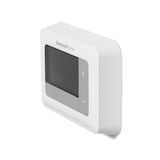
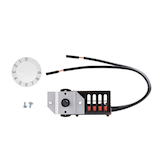

Shop Related Products
- Weekly Deals
- Customers Also Viewed
- Top Trending Products
- More From This Brand
Weekly Deals



Review Highlights
Reviews
Filter Reviews
- instructions
- for cold weather
- for hot weather
- large
- parking
- price
- product features
- quality
Rating
Locale
1 to 5 of 6 Reviews
1 – 5 of 6 Reviews
Most Recent
5 out of 5 stars.
Impeccable
7 years ago
1 out of 5 stars.
Works for heating, doesn't stop cooling
8 years ago
My thermostat worked well for the winter, but now that it's summer I've found that the cooling isn't working properly. A few times I've worked up because I was too cold and had to touch one of the buttons on the thermostat for it to wake up and realize that it was well below the set temperature.
No, I do not recommend this product.
Helpful?
4 out of 5 stars.
Pretty good
9 years ago
This is a pretty decent thermostat. Does what is supposed to and looks very good. It can be switched from C to F but it needs a hard reset and reprogramming. Not so bad. You just need to read the manual carefully.
Yes, I recommend this product.
Helpful?
1 out of 5 stars.
Avoid
11 years ago
I have this thermostat in my detached garage. I only use the heat on weekends when I want to work in there.
This thermostat has the unique feature of not being able to tun on the heat when it gets too cold. It looks like it functions fine. All the buttons work and change the settings on the display. Still no heat.
The only way to get it to activate the furnace is to heat the thermostat. Make sense? You need to warm it with a hair dryer to about 10c before it will work.
Good thing I didn't install it in my house. Imagine a power outage in the dead of winter and your furnace won't come back on because it got too cold.
No, I do not recommend this product.
Helpful?
1 out of 5 stars.
Avoid
11 years ago
I was unable to switch it to Celsius, followed all the instructions, resets etc. It only shows everything in Fahrenheit.
No, I do not recommend this product.
Helpful?
1 – 5 of 6 Reviews
Questions
Start typing your question and we'll check if it was already asked and answered.
1 - 10 of 15 Questions
Most helpful answers
Q: Is there a video to show how to program the thermostat?
3 years ago1 Answer
A: We don't have a video available for this thermostat but if you require technical support please call 1-800-265-1833 and one of our service technicians will be able to assist you. Thank you, Canarm Product Support.
3 years agoHelpful?
Q: Bonjour, fonctionne pour les plinthes électriques
7 years ago1 Answer
- Translate with Google
A: Bonjour, non ce thermostat offre 2 niveaux de chauffage et climatisation et controle d'humidificateur. Ne fonctionne pas avec les plinthes electriques. Merci, Canarm.
7 years agoHelpful?
Q: Where do I find an operation manual for this Garrison thermostat?
7 years ago1 Answer
A: Please contact Canarm Ltd. for a copy of the instruction manual. Please identify thermostat #052-8509, Canarm part #MC6004. Please use our toll free # 1-800-265-1833. Thank you, Canarm Product Support.
7 years agoHelpful?
Q: Est-ce que ce modèle est compatible avec le chauffage à l'huile?
9 years ago1 Answer
- Translate with Google
A: Non. C'est pour l'air forcé
9 years agoHelpful?
Q: Does it has the function of "ciculate" for the fan instead of just on and auto?
9 years ago1 Answer
A: FAN CONTROL / VENTILATION • For automatic control of the fan, press FAN until the AUTO symbol appears. In cooling mode, the fan starts/stops with the cooling equipment. In heating mode, the fan is controlled by the heating equipment if HG is selected. • For the fan to run continuously, press FAN until the ON symbol appears. • For the Automatic Ventilation feature–where the thermostat will turn the fan on periodically for better ventilation, press FAN until the VENT symbol appears.
9 years agoHelpful?
Q: How to control fan with humidity controls? When we choose the humidity levels, we are noticing the humidity feature turns the fan on (when the furnace is off). Is there a setting or what to make it so the humidifier only turns on when the furnace turns on to heat?
10 years ago1 Answer
A: The humidifier is controlled by two separate wires H1 and H2. They are electrically isolated from the heating/cooling function so they cannot be set to run together.
10 years agoHelpful?
Q: 1 How to change batteries when battery light is flashing
10 years ago1 Answer
A: BATTERY REPLACEMENT When the AA batteries are low and need to be replaced, the AA battery symbol will flash on the LCD screen, the current temperature / humidity will flash. It indicates that the batteries are running low and have to be replaced immediately. However, this is recommended that the batteries be replaced every year even if this warning does not appear. To replace batteries: • Select OFF to change the thermostat to OFF mode. • Remove the thermostat from its mounting plate (back cover) carefully. • Remove the old AA batteries, and install new ones. • Place the thermostat back to its original position. You can obtain a copy of the owner's manual by calling our Customer Relations Department (1-800-387-8803).
10 years agoHelpful?
Q: Does the "backlit" light remain on all the time or only when pressing buttons? Can it be turned off?
11 years ago1 Answer
A: There is a backlight setting: BL1 = ON Pressing any button will turn the backlight on for 8 seconds. BL0 = OFF
11 years agoHelpful?
Q: How do you cancel the schedule & return to manual mode? John
11 years ago1 Answer
A: Please see instructions: HOLD FUNCTION The HOLD function will maintain a constant temperature, similar to a non-programmable manual thermostat. It disables all program settings and new temperature will remain the same until the RUN PROGRAM button is pressed. 1. Press UP or DOWN buttons to override the current temperature setting. The HOLD symbol will appear above the FOURTH button. 2. Press the button under the HOLD symbol to enable the hold function. 3. Press the RUN PROGRAM button to disable the hold function. Hold function is actually the manual mode.
11 years agoHelpful?
Q: Could use it program each day differently? since it shows "Includes program sets for weekdays and weekends"
11 years ago1 Answer
A: This product 52-8509 Garrison 7 Day Forced Air Thermostat allows the user to program each day of the week. Each day has four program time and temperature settings and each day of the week can be set up differently. Therefore you can set up Monday to be different than Tuesday to be different than Wednesday and Saturday etc. Note The programs run according to days of the week and will repeat weekly so for example whatever you set up for Tuesday will happen this Tuesday and every following Tuesday until you change it.
11 years agoHelpful?
1 - 10 of 15 Questions