Hurry—the Biggest Tire Sale of the Year* ends soon.
Shop NowSave up to 50% with Early Black Friday Week 1 Deals.
Shop NowTriangle Rewards Members get FREE Local Shipping on eligible Ship to Home orders over $99!
Sign In or Join🎄🎁 Christmas starts here. Discover festive favourites, from trees and lights to decor and more. 🎄🎁
Shop NowTriangle Rewards Members get FREE Local Shipping on eligible Ship to Home orders over $99!


Deals
Departments
- Automotive
- ATVs, Snowmobiles, Motorcycles Parts & Accessories
- ATVs, Snowmobiles, Motorcycles Parts & Accessories Sales
- ATVs, Snowmobiles, Motorcycles Parts & Accessories Clearance
- ATV & UTV Parts & Accessories
- Loading Ramps
- Motorcycle Parts & Accessories
- Snowmobile Parts & Accessories
- Trailers & Towing Accessories
- Audio & Electronics
- Auto Body Repair, Paints & Accessories
- Auto Lighting
- Auto Parts
- Auto Body Parts
- Brakes
- Drivetrain & Transmission
- Electrical & Wiring
- Emission & Exhaust Systems
- Engine & Ignition
- Code Readers, Diagnostic & Test Tools
- Distributors, Caps, Rotors & Parts
- Drive Belts, Tensioners & Harmonic Balancers
- Engine & Ignition Sensors & Switches
- Engine & Transmission
- Engine Gaskets
- Gauges & Fittings
- Glow Plugs & Components
- Ignition Coils, Resistors & Control Modules
- Ignition Wires & Sets
- Intake Manifolds
- Oil Delivery Parts
- Spark Plugs
- Timing Belts & Kits
- Filters & PCV Valves
- Fuel Delivery
- Heating, A/C & Engine Cooling
- Antifreeze & Coolant System Additives & Chemicals
- Cabin Air Filters
- Engine Coolant Temperature Sensors & Switches
- Engine Cooling Parts
- Engine Heaters
- Heating & A/C Parts
- Heating, A/C & Engine Cooling Tools
- Refrigerants & A/C Additives
- Oil Delivery Parts
- Performance Parts
- Starters & Alternators
- Steering & Alignment
- Suspension Parts
- Wiper Blades & Parts
- Auto Shelters
- Auto Tools
- Auto Body Repair Tools
- Brake System Tools
- Buffers & Polishers
- Diagnostic & Testing Tools
- Drivetrain & Transmission Tools
- Electrical Tools & Kits
- Fuel System Tools
- Garage & Auto Shop Storage & Equipment
- General Service Tools
- Grease & Lubrication Tools
- Heating, A/C & Engine Cooling Tools
- Oil Change Tools & Accessories
- Portable Work Lights
- Repair Manuals
- Steering, Suspension & Alignment Tools
- Tire & Wheel Tools
- Tire Repair Materials
- Batteries, Maintenance & Accessories
- Auto & Specialty Batteries
- Battery Booster Packs & Jump Starters
- Battery Cables & Hold Downs
- Battery Chargers
- Battery Terminals
- Battery Testers & Tools
- Booster Cables
- EV Chargers
- Power Inverters
- Car Detailing & Care Products
- Car Safety & Security
- Exterior Accessories
- Interior Accessories
- 12V Car Chargers & Plug-In Accessories
- Car Air Fresheners
- Car Safety & Security
- Car Seats
- Car Warmers
- Car Window Shades & Visors
- Car Window Tint
- Floor Mats & Liners
- Interior Car Mirrors
- Interior Car Organizers
- Interior Dress-Up Accessories
- Keychains
- Seat Covers & Cushions
- Steering Wheel Covers
- Oils, Fluids, Additives & Chemicals
- Antifreeze & Coolant System Additives & Chemicals
- Brake & Power Steering Fluids & Additives
- Diesel Fluids
- Engine Oils & Additives
- Fuel System Additives & Cleaners
- Grease, Gear Oils & Lubricants
- Oil Change Tools & Accessories
- Refrigerants & A/C Additives
- Stop Leaks
- Transmission Fluids & Additives
- Windshield Washer Fluids
- RV Parts & Accessories
- RV Electrical Accessories
- RV Exterior
- RV Fresh Water Accessories
- RV Interior
- RV Leveling & Stabilization
- RV Lighting
- RV Maintenance
- RV Plumbing & Sanitation
- Tires & Wheels
- Trailers & Towing Accessories
- Truck Accessories
- Cargo Management
- Exhaust Systems
- Exterior Truck Accessories
- Floor Mats & Liners
- LED Light Bars
- Light Pods & Utility Lights
- Lighting Accessories
- Mud Flaps & Splash Guards
- Performance Air Filters
- Running Boards & Steps
- Seat Covers & Cushions
- Snow Plows, Mounts & Accessories
- Tonneau Covers
- Trailers & Towing Accessories
- ATVs, Snowmobiles, Motorcycles Parts & Accessories
- Home
- Appliances
- Irons & Steamers
- Kitchen Appliances
- Blenders & Juicers
- Breadmakers
- Carbonated Water Makers & Accessories
- Coffee Grinders
- Coffee Makers
- Cookers
- Espresso Machines & Makers
- Food Dehydrators
- Food Mixers & Accessories
- Food Processors & Choppers
- Fryers
- Hot Plates & Food Warmers
- Ice Makers
- Indoor Grilling
- Kettles
- Meat Grinders & Slicers
- Microwaves
- Popcorn Makers
- Toasters
- Waffle Makers
- Portable Dishwashers & Replacement Parts
- Range Hoods & Accessories
- Refrigerators & Beverage Coolers
- Sewing Machines
- Vacuum Cleaners
- Water Coolers
- Bath
- Bath Mats & Rugs
- Bathroom Accessories
- Bathroom Exhaust Fans & Accessories
- Bathroom Hardware
- Bathroom Storage & Organization
- Bathroom Vanities
- Bathtubs, Showers & Accessories
- Hand & Bath Towels
- Beauty, Health & Wellness
- Bath, Body & Skin Care
- Fitness & Exercise
- Fitness & Training Recovery
- Hair Care
- Health Care Devices & Accessibility Equipment
- Heating, Cooling & Air Quality
- Oral Care
- Protective Face Masks & Coverings
- Shavers, Trimmers & Hair Removal
- Spa, Massage & Aromatherapy
- Sun Protection
- Heating, Cooling & Air Quality
- Home Decor
- Home Electronics
- Audio Devices
- Cell Phone Accessories
- Computer Accessories
- Extension Cords
- Flashlights, Lanterns & Headlamps
- Home Electronics Accessories & Supplies
- Home Phones & Two Way Radios
- Household Batteries
- Power Bars & Surge Protectors
- Smart & GPS Watches
- Tablets & Tablet Accessories
- TV Stands & Media Units
- TV, Video & Home Theater
- Home Furniture
- Baby Furniture
- Bedroom Furniture
- Entryway Furniture
- Games Room
- Kitchen & Dining Room Furniture
- Living Room Furniture
- Office Furniture
- Patio Furniture & Décor
- Storage Furniture
- Toddler & Kids Furniture
- Window Treatments
- Home Safety & Security
- Household & Cleaning Supplies
- Air Fresheners
- Cleaners
- Cleaning Tools
- Dish Cleaning
- Drain Cleaners
- Floor Cleaning
- Garbage Cans & Bags
- Laundry Supplies
- Paper Products
- Plungers
- Vacuum Cleaners
- Kitchenware
- Bakeware
- Coffee, Espresso & Tea
- Cookware
- Dining & Entertaining
- Food Organizers
- Kitchen Appliances
- Blenders & Juicers
- Breadmakers
- Carbonated Water Makers & Accessories
- Coffee Grinders
- Coffee Makers
- Cookers
- Espresso Machines & Makers
- Food Dehydrators
- Food Mixers & Accessories
- Food Processors & Choppers
- Fryers
- Hot Plates & Food Warmers
- Ice Makers
- Indoor Grilling
- Kettles
- Meat Grinders & Slicers
- Microwaves
- Popcorn Makers
- Toasters
- Waffle Makers
- Kitchen Linens
- Kitchen Storage & Organization
- Kitchen Tools & Gadgets
- Can & Bottle Openers
- Colanders, Strainers & Salad Spinners
- Cooking Thermometers
- Frozen Treat Makers & Ice Cream Scoops
- Kitchen Scales
- Kitchen Timers
- Kitchen Utensil Sets
- Mandolines & Graters
- Measuring Cups & Spoons
- Mixing Bowls
- Pizza Ovens & Tools
- Potato & Meat Mashers
- Rolling Pins
- Salt & Pepper Shakers
- Specialty Tools
- Utensils
- Knives & Cutting Accessories
- Portable Drinkware
- Lighting
- Moving Supplies
- Office & School Supplies
- Paints & Stains
- Party City
- Bakeware
- Balloons & Accessories
- Birthday Invitations & Valentine's Day Cards
- Gift Wrapping Supplies
- Household & Cleaning Supplies
- Party Decorations
- Party Favours
- Arts & Crafts Supplies
- Bags
- Bubbles & Bubble Toys
- Cups, Containers & Treat Boxes
- Favour Ties, Tags & Charms
- Giveaway Toys
- Glow Sticks
- Jewelry
- Party & Birthday Hats
- Party Favour Gift Sets
- Pins, Buttons & Patches
- Stationery
- Stickers
- Temporary Tattoos
- Trophies & Ribbons
- Wands
- Water Balloons
- Water Blasters & Soakers
- Whistle & Noisemakers
- Tableware
- Toys & Games
- Action Figures
- Arts & Crafts Supplies
- Board Games & Puzzles
- Building Sets & Blocks
- Card Games
- Collectibles
- Dolls & Playsets
- Games Room
- Kids' Electronic Toys
- Pretend Play
- Remote Control Vehicles
- Science & Educational Toys
- Squishies & Squeeze Toys
- Stuffed & Plush Animals
- Toddler & Preschool Toys
- Toy Blasters
- Toy Storage
- Toy Vehicles
- Sinks, Faucets & Fixtures
- Bathroom Sinks & Faucets
- Bathroom Vanities
- Bathtubs, Showers & Accessories
- Kitchen Sinks & Faucets
- Laundry Tubs & Faucets
- Shower Wall Panels
- Showerheads & Hand Showers
- Toilets & Accessories
- Smart Home
- Snacks & Beverages
- Storage & Organization
- Baskets
- Bathroom Storage & Organization
- Closet Storage & Organization
- Garage Organization & Tool Storage
- Garage Door Openers & Hardware
- Garage Stools
- Garage Storage Cabinets
- Garage Storage Shelves & Racks
- Garage Wall & Ceiling Organization
- Plastic Storage Containers & Totes
- Portable Work Lights
- Tool Bags, Boxes & Organizers
- Tool Belts & Aprons
- Tool Chests, Cabinets & Accessories
- Tool Pouches & Holders
- Utility & Tool Carts
- Workbenches & Workstands
- Hanging Hooks
- Kitchen Storage & Organization
- Laundry Storage & Organization
- Shelving & Racks
- Shoe Racks & Storage
- Shopping Carts & Bags
- Storage Bins
- Storage Drawers & Carts
- Storage Furniture
- Toy Storage
- Vacuum Storage Bags
- Appliances
- Outdoor Living
- Backyard Pools & Supplies
- Christmas
- Christmas Entertaining
- Christmas Garlands
- Christmas Lights
- Christmas Stockings & Holders
- Christmas Storage
- Christmas Treats
- Christmas Tree Decorations
- Christmas Trees & Accessories
- Christmas Wreaths
- Festive Pets
- Gift Wrapping & Accessories
- Indoor Christmas Decor
- Outdoor Christmas Décor
- Pyjamas & Robes
- Gazebos, Pergolas & Canopies
- Generators & Accessories
- Lawn & Garden
- Mosquito, Insect & Pest Control
- Outdoor Cooking & BBQs
- Outdoor Dining & Entertaining
- Outdoor Heating
- Outdoor Lighting
- Outdoor Power Equipment
- Chainsaws
- Grass Trimmers
- Hedge Trimmers
- Lawn & Garden Batteries
- Lawn Mowers
- Lawn Tractors, Riding Mowers & Attachments
- Leaf Blowers & Accessories
- Log Splitters, Wood Chippers & Shredders
- Outdoor Power Tool Accessories
- Pressure Washers, Parts & Accessories
- Snowblowers
- Tillers & Cultivators
- Outdoor Recreation
- Outdoor Storage
- Patio Furniture & Décor
- Snow Removal Equipment & Tools
- Solar Power Systems
- Tools & Hardware
- Air Tools & Compressors
- Electrical
- Conduits & Fittings
- Cord Covers & Cable Organizers
- Dimmers, Switches & Timers
- Electrical Boxes
- Electrical Motor Parts
- Electrical Tools & Accessories
- Extension Cords
- Fuse Boxes & Circuit Breakers
- Household Batteries
- Plugs, Connectors & Adapters
- Power Bars & Surge Protectors
- Wall Plates & Outlet Covers
- Wall Receptacles
- Weatherproof Electrical Fittings
- Wiring & Cables
- Exterior Repair & Maintenance Supplies
- Garage Organization & Tool Storage
- Garage Door Openers & Hardware
- Garage Stools
- Garage Storage Cabinets
- Garage Storage Shelves & Racks
- Garage Wall & Ceiling Organization
- Plastic Storage Containers & Totes
- Portable Work Lights
- Tool Bags, Boxes & Organizers
- Tool Belts & Aprons
- Tool Chests, Cabinets & Accessories
- Tool Pouches & Holders
- Utility & Tool Carts
- Workbenches & Workstands
- Hand Tools
- Hardware
- Ladders & Scaffolding
- Paints & Stains
- Plumbing
- Power Tool Accessories
- Power Tools
- Buffers & Polishers
- Combo Kits
- Drill Presses & Lathes
- Drills & Accessories
- Grinders
- Heat Guns
- Impact Drivers
- Impact Wrenches
- Nailers & Staplers
- Oscillating Tools
- Planers & Joiners
- Rotary Tools
- Routers
- Sanders
- Saws
- Specialty Power Tools
- Shop Vacuums
- Sinks, Faucets & Fixtures
- Bathroom Sinks & Faucets
- Bathroom Vanities
- Bathtubs, Showers & Accessories
- Kitchen Sinks & Faucets
- Laundry Tubs & Faucets
- Shower Wall Panels
- Showerheads & Hand Showers
- Toilets & Accessories
- Welding & Soldering Tools
- Work Wear & Safety Gear
- Sports & Recreation
- Bikes & Accessories
- Camping & Hiking
- Camp Cooking
- Camping & Hiking Backpacks
- Camping Accessories
- Camping Electronics
- Camping Furniture
- Camping Lanterns & Lights
- Camping Mattresses
- Coolers
- Hunting Knives
- Mosquito, Insect & Pest Control
- Portable Outdoor Heaters
- Sleeping Bags
- Sun Protection
- Survival Accessories
- Tents & Shelters
- Trekking Poles & Hiking Sticks
- Clothing, Shoes & Accessories
- Apparel, Gloves & Glasses
- Clothing
- Fan Zone
- Hats, Gloves & Accessories
- Hunting Clothes & Apparel
- Mosquito & Bug Net Gear
- Pyjamas & Robes
- Rain Gear
- Shoes & Boots
- Snowmobile Riding Gear
- Wetsuits & Water Shoes
- Winter Apparel
- Work Wear & Safety Gear
- Fishing
- Fitness & Exercise
- Games Room
- Golf & Precision Sports
- Hockey
- Hunting
- Luggage & Suitcases
- Outdoor Recreation
- Racquet Sports
- Team Sports
- Baseball & Softball
- Basketball
- Cricket
- Fan Zone
- Football
- Hockey
- Lacrosse
- Soccer
- Volleyball
- Water Sports & Boating
- Boating & Marine
- Canoe & Kayak Accessories
- Canoe, Kayak & Stand Up Paddle Board Carriers
- Canoes
- Kayaks
- Life Jackets/PFDs
- Paddles, Oars & Accessories
- Stand Up Paddle Boards & Accessories
- Sun Protection
- Swimming
- Tow Ropes & Accessories
- Towable Tubes & Accessories
- Wakeboards & Water Skis
- Water Toys & Floats
- Wetsuits & Water Shoes
- Winter Sports
- Curling
- Hockey
- Ice Skates
- Ski & Snowboarding Helmets
- Sledding
- Snow Goggles
- Snowboards
- Snowshoeing
- Winter Apparel
- Tires & Wheels
- Kitchen & Dining
- Bakeware
- Coffee, Espresso & Tea
- Cookware
- Dining & Entertaining
- Food Organizers
- Kitchen Appliances
- Blenders & Juicers
- Breadmakers
- Carbonated Water Makers & Accessories
- Coffee Grinders
- Coffee Makers
- Cookers
- Espresso Machines & Makers
- Food Dehydrators
- Food Mixers & Accessories
- Food Processors & Choppers
- Fryers
- Hot Plates & Food Warmers
- Ice Makers
- Indoor Grilling
- Kettles
- Meat Grinders & Slicers
- Microwaves
- Popcorn Makers
- Toasters
- Waffle Makers
- Kitchen Linens
- Kitchen Storage & Organization
- Kitchen Tools & Gadgets
- Can & Bottle Openers
- Colanders, Strainers & Salad Spinners
- Cooking Thermometers
- Frozen Treat Makers & Ice Cream Scoops
- Kitchen Scales
- Kitchen Timers
- Kitchen Utensil Sets
- Mandolines & Graters
- Measuring Cups & Spoons
- Mixing Bowls
- Pizza Ovens & Tools
- Potato & Meat Mashers
- Rolling Pins
- Salt & Pepper Shakers
- Specialty Tools
- Utensils
- Knives & Cutting Accessories
- Portable Drinkware
- Vacuum Cleaners
- Storage & Organization
- Baskets
- Bathroom Storage & Organization
- Closet Storage & Organization
- Garage Organization & Tool Storage
- Garage Door Openers & Hardware
- Garage Stools
- Garage Storage Cabinets
- Garage Storage Shelves & Racks
- Garage Wall & Ceiling Organization
- Plastic Storage Containers & Totes
- Portable Work Lights
- Tool Bags, Boxes & Organizers
- Tool Belts & Aprons
- Tool Chests, Cabinets & Accessories
- Tool Pouches & Holders
- Utility & Tool Carts
- Workbenches & Workstands
- Hanging Hooks
- Kitchen Storage & Organization
- Laundry Storage & Organization
- Shelving & Racks
- Shoe Racks & Storage
- Shopping Carts & Bags
- Storage Bins
- Storage Drawers & Carts
- Storage Furniture
- Toy Storage
- Vacuum Storage Bags
- Toys & Games
- Action Figures
- Arts & Crafts Supplies
- Board Games & Puzzles
- Building Sets & Blocks
- Card Games
- Collectibles
- Dolls & Playsets
- Games Room
- Kids' Electronic Toys
- Pretend Play
- Remote Control Vehicles
- Science & Educational Toys
- Squishies & Squeeze Toys
- Stuffed & Plush Animals
- Toddler & Preschool Toys
- Toy Blasters
- Toy Storage
- Toy Vehicles
- Luggage & Suitcases
- Clothing, Shoes & Accessories
- Apparel, Gloves & Glasses
- Clothing
- Fan Zone
- Hats, Gloves & Accessories
- Hunting Clothes & Apparel
- Mosquito & Bug Net Gear
- Pyjamas & Robes
- Rain Gear
- Shoes & Boots
- Snowmobile Riding Gear
- Wetsuits & Water Shoes
- Winter Apparel
- Work Wear & Safety Gear
- Pet Care
- Baby
- Party City
- Bakeware
- Balloons & Accessories
- Birthday Invitations & Valentine's Day Cards
- Gift Wrapping Supplies
- Household & Cleaning Supplies
- Air Fresheners
- Cleaners
- Cleaning Tools
- Dish Cleaning
- Drain Cleaners
- Floor Cleaning
- Garbage Cans & Bags
- Laundry Supplies
- Paper Products
- Plungers
- Vacuum Cleaners
- Party Decorations
- Party Favours
- Arts & Crafts Supplies
- Bags
- Bubbles & Bubble Toys
- Cups, Containers & Treat Boxes
- Favour Ties, Tags & Charms
- Giveaway Toys
- Glow Sticks
- Jewelry
- Party & Birthday Hats
- Party Favour Gift Sets
- Pins, Buttons & Patches
- Stationery
- Stickers
- Temporary Tattoos
- Trophies & Ribbons
- Wands
- Water Balloons
- Water Blasters & Soakers
- Whistle & Noisemakers
- Tableware
- Toys & Games
- Action Figures
- Arts & Crafts Supplies
- Board Games & Puzzles
- Building Sets & Blocks
- Card Games
- Collectibles
- Dolls & Playsets
- Games Room
- Kids' Electronic Toys
- Pretend Play
- Remote Control Vehicles
- Science & Educational Toys
- Squishies & Squeeze Toys
- Stuffed & Plush Animals
- Toddler & Preschool Toys
- Toy Blasters
- Toy Storage
- Toy Vehicles
- Shop Canadian
- All Brands
- Sales & Clearance
- Services & Gift Cards
- Early Black Friday Deals
- Christmas
- Christmas Entertaining
- Christmas Garlands
- Christmas Lights
- Christmas Stockings & Holders
- Christmas Storage
- Christmas Treats
- Christmas Tree Decorations
- Christmas Trees & Accessories
- Christmas Wreaths
- Festive Pets
- Gift Wrapping & Accessories
- Indoor Christmas Decor
- Christmas Candles & Holders
- Christmas Garlands
- Christmas Home Accents
- Christmas Pillows & Throws
- Christmas Stockings & Holders
- Christmas Table Top Décor
- Christmas Tree Decorations
- Christmas Trees & Accessories
- Christmas Wreaths
- Décor Hooks, Ties & Hangers
- Decorative Snow
- Outdoor Christmas Décor
- Pyjamas & Robes
- Tires
- Party City
- Book Auto Service

This paragraph should be hidden.


Bluehive BlueBass Wireless On-Ear Headphones
- FREEPick UpAvailable
- Same-Day DeliveryAvailable
- Ship to HomeUnavailable
Pick up available 10:00 a.m., Nov 06

Quebec residents: For information on maintenance, repair, and warranty, click here.

Bluehive BlueBass Wireless On-Ear Headphones
Similar Products



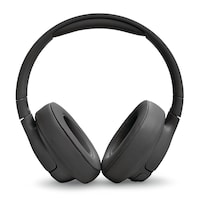
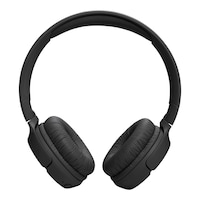

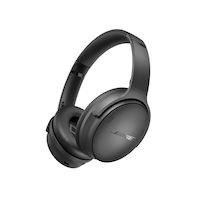
Product Details
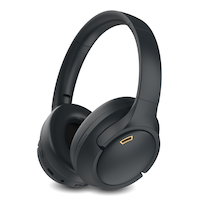
The Bluehive BlueBass Wireless Headphones offer high-quality audio and maximum convenience. Connect wirelessly via Bluetooth or use the included aux cable for wired listening. Enjoy clear sound with dynamic range thanks to the headphones' tuned drivers and acoustic design. The comfortable fit allows for long listening sessions without fatigue. When it's time to recharge, simply plug in the included USB-C cable. With wireless capability, great sound quality, and a comfortable fit, the Bluehive Bluetunes Wireless Headphones are the ideal audio companion.
Connects via Bluetooth or aux-in
High sound quality and features
Comfortable fit
USB-C charging cable included
Up to 6 hour playback time per charge
Foldable design
Foam ear pads and adjustable slider for optimal fit
- This product carries a 1 year exchange warranty redeemable at any Canadian Tire store.
- Pick Up is free at most stores (some stores require a minimum order value before tax)
- Shipping fee is based on size and weight of products and distance from address to store
- Same-Day Delivery costs $9.99 per order
- Online Ordering Information
- Most products can be returned or exchanged at any Canadian Tire store within 90 days of purchase
- Some products are non-refundable and non-exchangeable
- The return policy outlined above may not apply to the product you are currently viewing. For complete details and eligibility, please refer to our Return Policy for exceptions.
Compare Similar Products
Only Show Differences | |||||
| Ratings | |||||
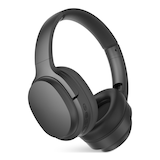
| Accessories List | - | Aux Cable, Charging Cable | Aux Cable, Charging Cable | Charging Cable, Aux Cable | |
| Advanced Features | - | Built-in Microphone, Adjustable Head Strap, Collapsible/Foldable, Long Battery Life, Noise Cancelling, Wireless | Built-in Microphone, Collapsible/Foldable, Compact Design, Lightweight, Long Battery Life, Wireless, Noise Cancelling | Lightweight, Long Battery Life, Sound Isolating, Sweat Resistant, Built-in Microphone | |
| Assembled Height (cm) | - | 18.50 cm | 17.70 cm | 7.89 cm |


Shop Related Products
- Weekly Deals
- Customers Also Viewed
- Top Trending Products
- More From This Brand
Frequently Bought Together


Subtotal for 4 items$227.96
Review Highlights
Pros
Cons
Reviews
Rating Snapshot
5 starsstars
4 starsstars
3 starsstars
2 starsstars
1 starstars
Overall Rating
Review this product
Filter Reviews
- price
- purchase
- satisfaction
- quality
- wireless feature
- noise level
- bluetooth
- sound quality
Good value
bluetooth connect for tv
Good headphones
Great sound for the money
Fonctionne bien.
Questions
Q: There's a slot for micro SDCard. May i Play a SD Card whit these hearphones ?? ....P.S. IT doesn't want to
21 days ago- Translate with GoogleA: Yes it's possible to use a microSD card, format card to Fat32 and use file mp313 days agoHelpful?
Q: How do I pair the headphones to a desktop ? For ex. which button to press or hold to make them appear on Bluetooth devices list so that they can be selected to connect to desktop ? (After pressing power button, my headphones didn't appear on device list)
a year ago- A: 1) Following pairing instruction was from the user manual sheet included with the headphones. Press and hold power button (to turn headphone ON) for 2 seconds will put it in pairing mode, ready to be connected to a Bluetooth host, such as cell phone, iPod, laptop, etc... 2 voice messages will also be heard, "Power ON", then "Pairing". When headphones set is recognized by Bluetooth host, it will be displayed as "bluebass" in the Bluetooth device list (or pairing list) of the host. Just click "bluebass" to connect the headphones to the host. If connection is successful, headphones will say "Connected". 2) Initially when powered up the headphones8 months agoHelpful?
Q: Please supply link to free online user manual for "Bluehive BlueBass Wireless On-Ear Headphones"
8 months ago- A: Not my responsibility to provide information that you can obtain from the manufacturer or internet.8 months agoHelpful?
Q: What is the largest micro SD card this supports?
a year ago- A: 32Ga year agoHelpful?

Q: How do I put something on hold
a year ago- A: You could hold the music playing by press the power button.a year agoHelpful?