Offres
Nouveu et en vedette
Départements
- Automobile
- Abris d'auto
- Accessoires d'extérieur
- Accessoires d'habillement extérieur
- Bavettes garde-boue et pare-éclaboussures
- Décalcomanies et graphiques
- Drapeaux pour l’auto
- Housses d'auto
- Pare-soleils et déflecteurs
- Rétroviseurs pour angle mort
- Supports de cadre de plaque d'immatriculation
- Supports de toit, porte-bagages et gestion de cargaison
- Treuils
- Accessoires pour camionnettes
- Accessoires extérieurs pour camions
- Attelages, chasse-neiges et accessoires
- Barre à DEL
- Bavettes garde-boue et pare-éclaboussures
- Couvertures de caisse
- Filtres à air haute performance
- Gestion de cargaison
- Housses et coussins de siège
- Jeu de lumières et feux utilitaires
- Marchepieds
- Remorques et accessoires de remorquage
- Ventes de Remorques et accessoires de remorquage
- Liquidation de Remorques et accessoires de remorquage
- Accessoires de remorquage
- Articles de sécurité pour le remorquage
- Attelages de remorque
- Attelages de remorques
- Boules d'attelage et supports
- Câbles, connecteurs et adaptateurs de remorque
- Crics de remorquage
- Feux de remorque
- Miroirs de remorquage
- Pneus, jantes et chambres à air de remorque
- Remorques de VTT, VUTT et commerciales
- Treuils de remorquage
- Supports et accessoires
- Systèmes d'échappement
- Tapis d'auto
- Accessoires pour l'habitacle
- Accessoires d'habillement intérieur
- Assainisseurs d’air pour auto
- Chaîne porte-clés
- Chargeurs d'auto 12 V et accessoires enfichables
- Housses de volants
- Housses et coussins de siège
- Pare-soleil et visières pour vitres d'auto
- Pellicule teintée pour vitre d'auto
- Rangement pour intérieurs de voitures
- Réchauffeurs d'auto
- Rétroviseurs intérieurs d'auto
- Sièges d'auto
- Sûreté et sécurité automobile
- Additifs pour liquides lave-glace
- Articles de sécurité d'auto pour animaux
- Balais à neige et grattoirs
- Balises d'entrée
- Câbles d'appoint
- Caméras Et Appareils Photo
- Chaînes pour pneus
- Cordons d'alimentation pour chauffe-moteur
- Crics et crics rouleurs
- Plaques d'adhérence
- Rétroviseurs pour angle mort
- Sécurité des véhicules et antivols
- Sièges d'auto
- Trousses de sécurité et accessoires
- Tapis d'auto
- Audio et électroniques
- Accessoires pour téléphones cellulaires
- Ventes de Accessoires pour téléphones cellulaires
- Liquidation de Accessoires pour téléphones cellulaires
- Amplificateurs de signal cellulaire
- Appareils audio pour l'auto
- Accessoires d'installation d'appareils audio pour l'auto
- Amplificateurs pour l'auto
- Émetteurs FM
- Haut-parleur d'extrêmes graves pour auto
- Haut-parleurs pour l'auto
- Radios BP et accessoires
- Récepteurs de radio satellite et de radio
- Caméras Et Appareils Photo
- Chargeurs d'auto 12 V et accessoires enfichables
- GPS d'auto
- Porte-clés et démarreurs automobiles
- Accessoires pour téléphones cellulaires
- Chargeurs et réparation de batteries
- Batteries automobiles et spécialisées
- Batteries à bac hermétique
- Batteries pour articles de jardinage
- Batteries pour autos et camions
- Batteries pour fauteuils roulants et pour appareils de mobil
- Batteries pour véhicules commerciaux lourds
- Batteries pour véhicules de sports motorisés
- Batteries pour véhicules nautiques
- Batteries pour voiturettes de golf
- Batteries pour VR
- Batteries solaires et à charge poussée
- Câbles d'appoint
- Chargeurs de batteries
- Chargeurs de VE
- Chargeurs et démarreurs de batterie portatifs
- Cosses de batterie
- Ondulateurs
- Sangle de transport de batterie
- Vérificateurs de batterie et outils
- Batteries automobiles et spécialisées
- Éclairage automobile
- Huiles, fluides, additifs et produits chimiques
- Ventes de Huiles, fluides, additifs et produits chimiques
- Liquidation de Huiles, fluides, additifs et produits chimiques
- Additifs et huiles à moteur
- Additifs et nettoyants pour système d'alimentation
- Additifs pour liquides lave-glace
- Antifuites
- Antigels et additifs de système de refroidissement
- Freins et servodirection
- Frigorigènes et additifs pour système de climatisation
- Graisse, huiles pour engrenages et lubrifiants
- Liquides d'échappement diesel
- Liquides et additifs de transmission
- Outils et accessoires de vidange d'huile
- Outils d'auto
- Ensembles d'outils électriques
- Graisseurs et outils de lubrification
- Manuels de réparation
- Outils d'entretien général
- Outils de diagnostic et de testage
- Outils de réparation pour carrosserie
- Outils et accessoires de vidange d'huile
- Outils pour la direction, suspension et géométrie
- Outils pour la transmission
- Outils pour le système de chauffage, climatisation et refroi
- Outils pour les freins
- Outils pour pneus et jantes
- Outils pour système d'alimentation
- Rangement et équipement de garage et d'atelier automobile
- Ventes de Rangement et équipement de garage et d'atelier automobile
- Liquidation de Rangement et équipement de garage et d'atelier automobile
- Bidons à essence et accessoires
- Crics
- Pompes de transfert de fluides et extracteurs
- Presses d'atelier et équipement de levage
- Rangement des outils et organisation de l'atelier
- Sommiers, chariots et tabourets
- Pièces d'auto
- Alimentation de carburant
- Additifs et nettoyants pour système d'alimentation
- Capteurs, interrupteurs et relais
- Filtres à carburant
- Joints de moteur
- Outils pour système d'alimentation
- Pièces pour systèmes d'injection de carburant
- Pompes à essence et pièces
- Réservoirs à essence et pièces
- Alternateurs et démarreurs
- Balais d'essuie-glace et ses pièces
- Conduite et alignement
- Barres d'accouplement et barres de direction
- Bielles de direction et manchons
- Bras de renvoi et bielles pendantes
- Capteurs, interrupteurs et relais
- Enjoliveurs et protège-jantes
- Liquides et additifs de direction
- Moyeux et roulement de roues
- Outils pour la direction, suspension et géométrie
- Pièces de la servodirection
- Roue et maîtres-cylindres de frein
- Stabilisateurs de direction
- D'émissions et d'échappement
- Drivetrain et transmission
- Filtres et soupapes RGC
- Freins
- Canalisations, flexibles et câbles de freins
- Étriers de frein et accessoires
- Freins et servodirection
- Moyeux et roulement de roues
- Nécessaires de freins
- Outils pour les freins
- Plaquettes de frein
- Quincaillerie et avertisseurs de freins
- Rotors de frein
- Roue et maîtres-cylindres de frein
- Sabots et tambours de frein
- Moteur et allumage
- Bobines, résistances et modules de commande d'allumage
- Bougies
- Bougies de préchauffage et composants
- Capteurs, interrupteurs et relais
- Courroies d'entraînement, tendeurs et amortisseurs de vibrat
- Distributeurs, chapeaux et rotors d'allumage
- Ensembles de câbles d'allumage
- Ensembles de courroies de distribution
- Joints de moteur
- Manomètres et raccords
- Moteur et transmission
- Tubulures d'admission
- Pièces de suspension
- Pièces performantes
- Pièces pour carrosserie
- Pièces pour l'alimentation de l'huile
- Système de chauffage, climatisation et refroidissement
- Ventes de Système de chauffage, climatisation et refroidissement
- Liquidation de Système de chauffage, climatisation et refroidissement
- Antigels et additifs de système de refroidissement
- Capteurs, interrupteurs et relais
- Chauffe-moteurs
- Filtres à air d'habitacle
- Frigorigènes et additifs pour système de climatisation
- Outils pour le système de chauffage, climatisation et refroi
- Pièces du refroidissement du moteur
- Pièces du système de chauffage et de climatisation
- Systèmes électriques et câblage
- Alimentation de carburant
- Pièces et accessoires de VR
- Accessoires d'eau douce pour VR
- Accessoires électriques pour VR
- Accessoires extérieurs pour VR
- Auvents et moustiquaires pour VR
- Bâches
- Bonbonnes de propane et accessoires
- Cordons élastiques et accessoires
- Housses de VR
- Pièces de rechange pour l'extérieur des VR
- Réchauds et accessoires de cuisine de camping
- Rétroviseurs et articles de sécurité pour VR
- Tapis pour VR
- Éclairage pour VR
- Entretien des VR
- Intérieur de VR
- Niveaux et stabilisation de VR
- Plomberie et système sanitaire de VR
- Pièces et accessoires pour VTT, motos et motoneiges
- Ventes de Pièces et accessoires pour VTT, motos et motoneiges
- Liquidation de Pièces et accessoires pour VTT, motos et motoneiges
- Pièces et accessoires de motos
- Pièces et accessoires de VTT et de VUTT
- Ventes de Pièces et accessoires de VTT et de VUTT
- Liquidation de Pièces et accessoires de VTT et de VUTT
- Pièces et accessoires pour motoneiges
- Accessoires généraux
- Allumage et démarrage
- Batteries pour motoneiges
- Chariots de motoneige
- Conduites, filtres, tuyaux à carburant et plys pour motoneiges
- Direction et suspension
- Électronique
- Housses de motoneige
- Huile pour motoneiges
- Matériel de motoneige
- Moteur et transmission
- Parebrises et parechocs de motoneiges
- Skis et carbures
- Traineaux
- Pneus et jantes
- Produits d'entretien et de nettoyage automobile
- Ventes de Produits d'entretien et de nettoyage automobile
- Liquidation de Produits d'entretien et de nettoyage automobile
- Aspirateurs pour l'auto
- Cire et esthétique
- Détachant à goudron et moustiques
- Enlève-égratignures
- Nettoyants et dégraissants
- Nettoyants pour pneus, roues et jantes
- Nettoyants pour verre
- Nettoyeurs haute pression, pièces et accessoires
- Ventes de Nettoyeurs haute pression, pièces et accessoires
- Liquidation de Nettoyeurs haute pression, pièces et accessoires
- Outils de nettoyage
- Restoration des phares
- Soins des tapis et des tissus
- Soins du cuir
- Trousses de nettoyage automobile
- Remorques et accessoires de remorquage
- Ventes de Remorques et accessoires de remorquage
- Liquidation de Remorques et accessoires de remorquage
- Accessoires de remorquage
- Articles de sécurité pour le remorquage
- Attelages de remorque
- Attelages de remorques
- Boules d'attelage et supports
- Câbles, connecteurs et adaptateurs de remorque
- Crics de remorquage
- Feux de remorque
- Miroirs de remorquage
- Pneus, jantes et chambres à air de remorque
- Remorques de VTT, VUTT et commerciales
- Treuils de remorquage
- Réparation, peinture et accessoires pour carrosserie
- Ventes de Réparation, peinture et accessoires pour carrosserie
- Liquidation de Réparation, peinture et accessoires pour carrosserie
- Sûreté et sécurité automobile
- Additifs pour liquides lave-glace
- Articles de sécurité d'auto pour animaux
- Balais à neige et grattoirs
- Balises d'entrée
- Câbles d'appoint
- Caméras Et Appareils Photo
- Chaînes pour pneus
- Cordons d'alimentation pour chauffe-moteur
- Crics et crics rouleurs
- Plaques d'adhérence
- Rétroviseurs pour angle mort
- Sécurité des véhicules et antivols
- Sièges d'auto
- Trousses de sécurité et accessoires
- Maison
- Appareils de sécurité résidentielle
- Cadenas et Moraillons
- Caméras de sécurité
- Coffres-forts, coffres de sécurité et caisses
- Détecteurs de fumée
- Détecteurs de monoxyde de carbone
- Éclairage de zone et par projection
- Extincteurs
- Lampes de poche, lanternes et lampes frontales
- Sécurité à domicile intelligente
- Trousses de premiers soins
- Articles de rangement
- Articles pour la cuisine et solutions de rangement
- Ventes de Articles pour la cuisine et solutions de rangement
- Liquidation de Articles pour la cuisine et solutions de rangement
- Bacs
- Crochets
- Meubles de rangement
- Paniers
- Rangement de jouets
- Rangement et organisation de la garde-robe
- Rangement et organisation de salle de bain
- Rangement et organisation pour buanderie
- Sacs de rangement sous vide
- Sacs et chariots de magasinage
- Solutions de rangement et d'organisation de garage
- Ventes de Solutions de rangement et d'organisation de garage
- Liquidation de Solutions de rangement et d'organisation de garage
- Accessoires pour coffres et armoires à outils
- Armoires de rangement pour garage
- Ceintures et tabliers à outils
- Chariots utilitaires et à outils
- Contenants de rangement en plastique et sacs
- Établis et postes de travail
- Lampes portatives
- Organisation de murs et plafonds de garage
- Ouvre-portes de garage et quincaillerie
- Pochettes à outils et porte-outils
- Sacs, bacs et systèmes de rangement pour les outils
- Tablettes et étagères pour garage
- Tabouret de garage
- Supports et rangement pour chaussures
- Supports pour étagères
- Tiroirs et chariots
- Articles pour la cuisine et solutions de rangement
- Beauté, santé et bien-être
- Appareils de soins de santé et équipement d'accessibilité
- Bain, corps et soins de la peau
- Chauffage, climatisation et qualité de l'air
- Ventes de Chauffage, climatisation et qualité de l'air
- Liquidation de Chauffage, climatisation et qualité de l'air
- Chauffage d'extérieur
- Climatiseurs
- Déshumidificateurs
- Filtres à fournaise
- Foyers et poêles
- Humidificateurs et accessoires
- Purificateurs d'air et filtres
- Radiateurs
- Thermomètres et stations météorologiques
- Thermostats
- Ventilateurs de plafond et accessoires
- Ventilateurs électriques
- Ventilation
- Masques et couvre-visages de protection
- Mise en forme et musculation
- Accessoires de mise en forme et exercice
- Équipement de boxe, d'AMM et de combat
- Exerciseurs elliptiques
- Matériel de yoga et de pilates
- Poids, haltères et entraînement musculaire
- Rameurs
- Récupération après l'entraînement
- Tapis roulants
- Vélos stationnaires
- Protection solaire
- Rasoirs, tailleurs et épilation
- Récupération après l'entraînement
- Soins bucco-dentaires
- Soins capillaires
- Spa, massage et aromathérapie
- Chauffage, climatisation et qualité de l'air
- Ventes de Chauffage, climatisation et qualité de l'air
- Liquidation de Chauffage, climatisation et qualité de l'air
- Chauffage d'extérieur
- Climatiseurs
- Déshumidificateurs
- Filtres à fournaise
- Foyers et poêles
- Humidificateurs et accessoires
- Purificateurs d'air et filtres
- Radiateurs
- Thermomètres et stations météorologiques
- Thermostats
- Ventilateurs de plafond et accessoires
- Ventilateurs électriques
- Ventilation
- Collations et boissons
- Décorations pour la maison
- Eclairage
- Ampoules
- Ampoules et lampes intelligentes
- Bandes lumineuses
- Éclairage de plafond
- Éclairage extérieur
- Accessoires pour éclairage extérieur
- Ampoules pour lumières d'extérieur
- Balises d'entrée
- Cordons lumineux
- Éclairage à DEL extérieur
- Éclairage de murs extérieurs et portiques
- Éclairage de zone et par projection
- Éclairage solaire
- Foyers ronds et brûleurs au gel
- Lanternes pour terrasse
- Lumières de jardin
- Lumières de terrasses des clôtures
- Lustres et plafonniers pour l'extérieur
- Gradateurs, interrupteurs et minuteries
- Lampes à pied et de table
- Lampes murales
- Lampes portatives
- Lumières de fantaisie et luminaires sous l'armoire
- Luminaires fluorescents et à DEL
- Plaques murales et couvre-prises
- Quincaillerie pour éclairage
- Veilleuses
- Ventilateurs de plafond et accessoires
- Électroménagers
- Appareils de cuisine
- Bouilloires
- Café, espresso et thé
- Cafetières
- Cafetières espresso
- Cuiseurs et mijoteuses
- Déshydrateurs
- Éclateurs de maïs
- Fours à micro-ondes
- Friteuses
- Gaufriers
- Grille-pains
- Grils d’intérieur
- Hachoirs à viande et trancheuses
- Machine à glaçons
- Machines à eau gazéifiée et accessoires
- Mélangeurs et accessoires
- Mélangeurs et centrifugeuses
- Moulins à café
- Plaques chauffantes et chauffe-plats
- Robot boulanger
- Robots culinaires et hachoirs
- Aspirateurs
- Fers et fers à vapeur
- Hottes de cuisinière et accessoires
- Lave-vaisselles portatifs et pièces de rechange
- Machines à coudre
- Rasoirs, tailleurs et épilation
- Réfrigérateurs et refroidisseurs à boissons
- Refroidisseur d'eau
- Soins capillaires
- Appareils de cuisine
- Électronique
- Accessoires d'ordinateur
- Accessoires et fournitures pour l'électronique à domicile
- Accessoires pour caméras et caméscopes
- Accessoires pour téléphones cellulaires
- Ventes de Accessoires pour téléphones cellulaires
- Liquidation de Accessoires pour téléphones cellulaires
- Appareils Audio
- Jeux d'ordinateur
- Montres GPS et intelligentes
- Piles domestiques
- Tablettes et accessoires pour tablettes
- Téléphones et radios bidirectionnelles
- Téléviseurs, vidéo et cinéma à domicile
- Éviers, robinets et fixations
- Baignoires, douches et accessoires
- Cuves à lessive, éviers et robinets
- Éviers et robinets de cuisine
- Lavabos et robinets
- Meubles-lavabos de salle de bain
- Panneaux de mur de douche
- Pommes de douche et douchettes
- Toilette et accessoires
- Fournitures de bureau et scolaires
- Fournitures de déménagement
- La Maison Intelligente
- Caméras de sécurité intelligentes
- Climatiseurs intelligentes
- Dispositifs de repérage intelligents
- Fiches et interrupteurs intelligents
- Moniteurs d'activité physique
- Sécurité à domicile intelligente
- Serrures, ouvre-portes et accessoires intelligents
- Sonnettes intelligentes
- Thermostats et capteurs
- Traitement de l'air intelligent
- Voiture et garage intelligents
- Meubles
- Chambre
- Cuisine et salle à dîner
- Meubles d'entrée
- Meubles de bureau
- Accessoires et fournitures pour l'électronique à domicile
- Armoires de rangement
- Bibliothèques et étagères
- Bureaux
- Chaises de bureau
- Chaises de jeux vidéo
- Classeurs
- Fournitures de bureau et scolaires
- Lampes à pied et de table
- Meubles de rangement
- Meubles et accessoires de jardin
- Meubles pour bébés
- Meubles pour enfants et tout-petits
- Meubles pour salon
- Rideaux
- Salle de jeux
- Party City
- Ballons et accessoires
- Cadeaux-surprises
- Autocollants
- Baguettes magiques
- Ballons d'eau
- Bâtons lumineux
- Bijoux
- Bulles et jouets à bulles
- Chapeaux de fête et d'anniversaires
- Ensembles de cadeaux-surprises pour fêtes
- Épinglettes, macarons et écussons
- Étiquettes, attaches et breloques pour cadeaux-surprises
- Gobelets, contenants et boîtes à gâteries
- Jouets à offrir
- Matériel d'art et d'artisanat
- Papeterie
- Pistolets à eau et arroseurs
- Sacs
- Sifflet et bruiteurs
- Tatouages temporaires
- Trophées et rubans
- Décorations de fêtes
- Accessoires photo et toiles de fond pour fêtes
- Billets de tirage et de prix
- Bombes de table
- Bougies et bougeoirs
- Décalcomanies et autocollants
- Décorations de fêtes
- Décorations de gâteaux
- Décorations de table
- Décorations gonflables
- Décorations suspendues
- Paniers, papiers frisés et œufs de Pâques à remplir
- Panneaux et découpes pour fêtes
- Tapis d’allée mariage
- Fournitures d’emballage-cadeaux
- Invitations d’anniversaire et cartes de la Saint-Valentin
- Jouets et jeux
- Animaux en peluche
- Articles de collection
- Électronique pour enfants
- Figurines d'action
- Jeux de cartes
- Jeux de construction et blocs
- Jeux de simulation
- Jeux de société et Casse-tête
- Jouets préscolaires pour tout-petits
- Matériel d'art et d'artisanat
- Petits véhicules, trains et pistes de course
- Pistolets jouets
- Poupées et coffrets de jeux
- Rangement de jouets
- Salle de jeux
- Sciences et jouets éducatifs
- Véhicules à télécommande
- Plats de cuisson
- Produits de nettoyage et aspirateurs
- Vaisselle
- Peintures et teintures
- Apprêts
- Fournitures de préparation de surface
- Fournitures, outils et applicateurs de peinture
- Peinture en aérosol
- Peinture et finition d'intérieur
- Peinture et finition extérieurs
- Peinture spéciale
- Peintures et scellants pour plancher
- Produits de calfeutrage, scellants et adhésifs
- Teintures et finis d'intérieur
- Teintures et scellants extérieurs
- Produits de nettoyage et aspirateurs
- Accessoires de lessive
- Articles en papier
- Aspirateurs
- Assainisseurs d'air
- Débouchoirs
- Lavage de vaisselle
- Nettoie
- Nettoyage de drains
- Nettoyage de plancher
- Outils de nettoyage
- Sacs à ordures et poubelles
- Salle de bain
- Accessoires de salle de bain
- Baignoires, douches et accessoires
- Meubles-lavabos de salle de bain
- Quincaillerie pour salle de bain
- Rangement et organisation de salle de bain
- Serviettes à main et de bain
- Tapis de bain
- Ventilateurs aspirants et accessoires pour salle de bain
- Ustensiles
- Appareils de cuisine
- Bouilloires
- Café, espresso et thé
- Cafetières
- Cafetières espresso
- Cuiseurs et mijoteuses
- Déshydrateurs
- Éclateurs de maïs
- Fours à micro-ondes
- Friteuses
- Gaufriers
- Grille-pains
- Grils d’intérieur
- Hachoirs à viande et trancheuses
- Machine à glaçons
- Machines à eau gazéifiée et accessoires
- Mélangeurs et accessoires
- Mélangeurs et centrifugeuses
- Moulins à café
- Plaques chauffantes et chauffe-plats
- Robot boulanger
- Robots culinaires et hachoirs
- Articles pour la cuisine et solutions de rangement
- Ventes de Articles pour la cuisine et solutions de rangement
- Liquidation de Articles pour la cuisine et solutions de rangement
- Café, espresso et thé
- Couteaux et accessoires de coupe
- Linges de cuisine
- Organisateurs alimentaires
- Outils et gadgets de cuisine
- Balances de cuisine
- Bols à mélanger
- Fours à pizza et accessoires
- Instruments pour crème glacée
- Jeux d'ustensiles de cuisine
- Mandolines et râpes
- Minuteries de cuisine
- Outils spécialisés
- Ouvre-boîtes et décapsuleurs
- Passoires, tamis et essoreuses à salade
- Pilons à purée et à viande
- Rouleaux à pâtisserie
- Salières et poivrières
- Tasses et cuillères à mesurer
- Thermomètres de cuisson
- Ustensiles
- Plats de cuisine
- Plats de cuisson
- Réceptions et divertissement
- Verres portables
- Appareils de cuisine
- Appareils de sécurité résidentielle
- Extérieur
- Abris de jardin, pergolas et auvents
- Anti-insectes et pesticides
- Chauffage d'extérieur
- Cuisson d’extérieur et barbecues
- Barbecues à granules de bois
- Barbecues au charbon
- Barbecues au gaz naturel et au propane
- Barbecues électriques
- Barbecues portatifs
- Barbecues-fumoirs
- Housses de barbecue
- Mijoteuses et friteuses extérieures
- Outils de barbecue et accessoires de cuisson
- Pièces de rechange pour barbecue
- Plaques chauffantes extérieures
- Déneigement
- Éclairage extérieur
- Accessoires pour éclairage extérieur
- Ampoules pour lumières d'extérieur
- Balises d'entrée
- Cordons lumineux
- Éclairage à DEL extérieur
- Éclairage de murs extérieurs et portiques
- Éclairage de zone et par projection
- Éclairage solaire
- Foyers ronds et brûleurs au gel
- Lanternes pour terrasse
- Lumières de jardin
- Lumières de terrasses des clôtures
- Lustres et plafonniers pour l'extérieur
- Équipement à moteur extérieur
- Accessoires pour outils électriques extérieurs
- Batteries pour articles de jardinage
- Coupe-herbes
- Fendeuses de bûches et déchiqueteuses
- Motobêches
- Nettoyeurs haute pression, pièces et accessoires
- Ventes de Nettoyeurs haute pression, pièces et accessoires
- Liquidation de Nettoyeurs haute pression, pièces et accessoires
- Pièces et accessoires pour tondeuses
- Scies à chaîne
- Souffleuses à feuilles et accessoires
- Souffleuses à neige
- Taille-haies
- Tondeuses à siège, tondeuses autoportées et accessoires
- Génératrices et accessoires
- Jeux de plein air
- Bulles et jouets à bulles
- Craies de trottoir
- Hula hoops, cordes à danser et bâtons pogo
- Jeux de pelouse et balles
- Jeux et jouets aquatiques
- Jeux gonflables
- Jouets porteurs
- Jouets pour la neige
- Outils de jardinage pour enfants
- Patins à roues alignées
- Pistolets jouets
- Terrain de jeu extérieur
- Trampolines et accessoires
- Tyroliennes et sangles d’équilibre
- Meubles et accessoires de jardin
- Noël
- Animaux des Fêtes
- Arbres de Noël et accessoires
- Bas de Noël et accessoires
- Bonbons et ensembles-cadeaux de Noël
- Couronnes et guirlandes de Noël
- Décorations de Noël pour l'extérieur
- Décorations et boules de Noël
- Décorations intérieures de Noël
- Arbres de Noël et accessoires
- Bas de Noël et accessoires
- Chandelles et accessoires
- Couronnes et guirlandes de Noël
- Crochets décoratifs, attaches et cintres
- Décorations de Noël pour la maison et pour la table
- Décorations et boules de Noël
- Neige décorative
- Oreillers et jetés
- Lumières de Noël
- Affiches, bannières et lanternes illuminées de noël
- Cordes lumineuses
- Cordons lumineux
- Crochets et accessoires pour lumières de Noël
- Décorations de Noël gonflables
- Décorations pour pelouse
- Éclairage solaire
- Filets de lumières
- Glaçons lumineux
- Lumières de Noël de rechange
- Lumières de noël pour allées
- Lumières et décorations de Noël intelligentes
- Projecteurs lumineux de Noël
- Papier d'emballage, sacs-cadeaux et accessoires
- Pyjamas et robes
- Rangement pour décorations de Noël
- Réceptions de Noël
- Pelouse et jardin
- Arrosage et irrigation
- Bulbes de fleurs, de légumes et de plantes
- Décor de jardin
- Engrais pour plantes et jardin
- Entretien de la pelouse et gazon
- Fournitures d’aménagement paysager
- Hydroponie
- Outils de pelouse et de jardin
- Pots, jardinières et supports pour plantes
- Semences de fleurs, de légumes et de fines herbes
- Serres et jardins surélevés
- Sols et terreaux de jardins
- Terreaux de rempotage
- Piscines de jardin et accessoires
- Brassards de natation
- Équipement de nettoyage
- Gilets de sauvetage/VFI
- Housses
- Jouets d'eau et flotteurs
- Natation
- Pièces de rechange et accessoires
- Pièces de rechange et filtres
- Piscines
- Pompe de piscine
- Produits chimiques de piscines et spas
- Protection solaire
- Spas extérieurs
- Rangement extérieur
- Systèmes d’énergie solaire
- Vaisselle et couverts d'extérieur
- Outils et quincaillerie
- Accessoires d'outils électriques
- Appareils électriques
- Barres d'alimentation et protecteurs de surtension
- Boîtes électriques
- Câblage et câbles
- Cache fils et range câbles
- Conduits et raccords
- Fusibles, disjoncteurs et panneaux électriques
- Gradateurs, interrupteurs et minuteries
- Outils et accessoires électriques
- Pièces Pour Moteur Électrique
- Piles domestiques
- Plaques murales et couvre-prises
- Prises électriques, connecteurs et adaptateurs
- Prises murales
- Raccords électriques étanches
- Rallonges
- Articles de réparation et d’entretien extérieur
- Aspirateurs d’atelier
- Échelles et échafaudages
- Éviers, robinets et fixations
- Baignoires, douches et accessoires
- Cuves à lessive, éviers et robinets
- Éviers et robinets de cuisine
- Lavabos et robinets
- Meubles-lavabos de salle de bain
- Panneaux de mur de douche
- Pommes de douche et douchettes
- Toilette et accessoires
- Outils à main
- Agrafeuses et agrafes
- Barres de démolition et leviers
- Burins et poinçonneuses
- Clés
- Colliers de serrage et étaux
- Douilles et cliquets
- Jeux d'outils à main
- Marteaux et masses
- Outils à main spécialisés
- Outils de coupe
- Outils de mesure et de traçage
- Pinces
- Pistolets à colle et bâtons de colle
- Raboteuses et limes à main
- Rivets et outils
- Tournevis et tourne-écrous
- Outils électriques
- Accessoires d'outils électriques
- Clés à chocs
- Cloueuses et agrafeuses
- Ensembles d'outils
- Meuleuses
- Outils électriques spécialisés
- Outils oscillants
- Outils rotatifs
- Perceuses à colonne et tours à bois
- Perceuses et accessoires
- Pistolets thermiques
- Polisseuses
- Ponceuses
- Raboteuses et menuisiers
- Scies électriques
- Toupies
- Tournevis à percussion
- Outils pneumatiques et compresseurs
- Accessoires pour outils pneumatiques
- Clés à chocs pneumatiques
- Clés à cliquet pneumatiques
- Cloueuses et agrafeuses pneumatiques
- Compresseurs d'air
- Jeux d'outils pneumatiques
- Manomètres, gonfleurs et jauges
- Marteaux burineurs
- Meuleuses pneumatiques
- Outils pneumatiques spécialisés
- Perceuses pneumatiques
- Pistolet pulvérisateur et graisseurs pneumatiques
- Sableuses pneumatiques
- Outils pour braser et souder
- Peintures et teintures
- Apprêts
- Fournitures de préparation de surface
- Fournitures, outils et applicateurs de peinture
- Peinture en aérosol
- Peinture et finition d'intérieur
- Peinture et finition extérieurs
- Peinture spéciale
- Peintures et scellants pour plancher
- Produits de calfeutrage, scellants et adhésifs
- Teintures et finis d'intérieur
- Teintures et scellants extérieurs
- Plomberie
- Alimentation d'eau
- Baignoire et douche
- Chauffe-eau et pièces
- Outils de plomberie et accessoires
- Pompes et accessoires d'eau
- Réparation d'évier et de drain
- Réparation de robinet
- Réparation de toilette
- Système de filtration et de traitement d'eau
- Tuyaux et raccords
- Quincaillerie
- Boîtes aux lettres
- Cadenas et Moraillons
- Clous, vis et fixations
- Cordes et chaînes
- Ferrures pour clôture
- Numéros et lettres pour maison
- Ouvre-portes de garage et quincaillerie
- Panneaux
- Quincaillerie d'accrochage de photos
- Quincaillerie de structure
- Quincaillerie pour armoires et meubles
- Quincaillerie pour portes et fenêtres
- Ruban adhésif
- Tringles et quincaillerie pour garde-robe
- Solutions de rangement et d'organisation de garage
- Ventes de Solutions de rangement et d'organisation de garage
- Liquidation de Solutions de rangement et d'organisation de garage
- Accessoires pour coffres et armoires à outils
- Armoires de rangement pour garage
- Ceintures et tabliers à outils
- Chariots utilitaires et à outils
- Contenants de rangement en plastique et sacs
- Établis et postes de travail
- Lampes portatives
- Organisation de murs et plafonds de garage
- Ouvre-portes de garage et quincaillerie
- Pochettes à outils et porte-outils
- Sacs, bacs et systèmes de rangement pour les outils
- Tablettes et étagères pour garage
- Tabouret de garage
- Vêtements de travail et articles de sécurité
- Sports et loisirs
- Bagages et valises
- Camping
- Accessoires de camping
- Accessories de survie
- Anti-insectes et pesticides
- Bâtons de marche et de randonnée
- Couteau de chasse
- Électroniques de camping
- Glacières et blocs réfrigérants
- Lanternes et lampes de camping
- Matelas de camping
- Meubles de camping
- Protection solaire
- Radiateurs portatifs d'extérieur
- Réchauds et accessoires de cuisine de camping
- Sacs à dos de camping et de randonnée
- Sacs de couchage
- Tentes et abris
- Chasse
- Golf et sports de précision
- Jeux de plein air
- Bulles et jouets à bulles
- Craies de trottoir
- Hula hoops, cordes à danser et bâtons pogo
- Jeux de pelouse et balles
- Jeux et jouets aquatiques
- Jeux gonflables
- Jouets porteurs
- Jouets pour la neige
- Outils de jardinage pour enfants
- Patins à roues alignées
- Pistolets jouets
- Terrain de jeu extérieur
- Trampolines et accessoires
- Tyroliennes et sangles d’équilibre
- Mise en forme et musculation
- Accessoires de mise en forme et exercice
- Équipement de boxe, d'AMM et de combat
- Exerciseurs elliptiques
- Matériel de yoga et de pilates
- Poids, haltères et entraînement musculaire
- Rameurs
- Récupération après l'entraînement
- Tapis roulants
- Vélos stationnaires
- Pêche
- Bâteaux de pêche
- Boîtes à appâts
- Bottes-pantalons
- Cannes à pêche
- Combo cannes à pêche et moulinets
- Fournitures de pêche enfants
- Fournitures pour bateau de pêche
- Leurres et appâts
- Moulinets
- Outils de pêche
- Pêche à la mouche
- Pêche blanche
- Radiateurs portatifs d'extérieur
- Rangement d'appâts
- Rangement pour cannes à pêche
- Vêtements, vestes, gants et lunettes
- Salle de jeux
- Sports d'équipe
- Baseball et balle-molle
- Basketball
- Cricket
- Crosse
- Curling
- Football
- Hockey
- Accessoires de hockey
- Bâtons de hockey
- Casques de hockey
- Chandails d'entraînement, bas et vêtements de hockey
- Culottes de hockey
- Équipement d'entraînement au hockey
- Équipement de protection
- Filets de hockey
- Gants de hockey
- Hockey de rue
- Patins de hockey
- Sacs de hockey
- Zone des partisans d'Équipe Canada
- Zone des partisans LNH
- Soccer
- Volley-ball
- Zone des partisans
- Sports d'hiver
- Casques de neige
- Curling
- Hockey
- Accessoires de hockey
- Bâtons de hockey
- Casques de hockey
- Chandails d'entraînement, bas et vêtements de hockey
- Culottes de hockey
- Équipement d'entraînement au hockey
- Équipement de protection
- Filets de hockey
- Gants de hockey
- Hockey de rue
- Patins de hockey
- Sacs de hockey
- Zone des partisans d'Équipe Canada
- Zone des partisans LNH
- Luge
- Lunettes de neige
- Patins à glace
- Planches à neige
- Raquettes à neige
- Vêtements et accessoires d'hiver
- Sports de raquette
- Sports nautiques et plaisance
- Canot et kayak accessoires
- Combinaisons isothermes et chaussures aquatiques
- Cordes de remorquage et accessoires
- Gilets de sauvetage/VFI
- Jouets d'eau et flotteurs
- Kayaks et canots
- Natation
- Pagaies, rames et accessoires
- Plaisance et nautique
- Articles d’entretien et de nettoyage
- Bateaux
- Gilets de sauvetage/VFI
- GPS nautique
- Pièces pour bateau
- Accessoires de bateau
- Ancres et cordes
- Défenses de bateau
- Graisse pour bateaux et véhicules de sports motorisés
- Haut-parleurs pour bateau
- Housses de bateau
- Huile nautique
- Moteurs de pêche à la traîne et hors-bord
- Pompes de cale
- Réservoirs de carburant et accessoires
- Sièges de bateau
- Stabilisateurs de carburant et additifs pour petits moteurs
- Quincaillerie et accessoires pour quai
- Sécurité en bateau
- Planches à pagaie debout et accessoires
- Planches nautiques et skis nautiques
- Protection solaire
- Transporteurs de canots, de kayaks et de planches à ramer
- Tubes et accessoires
- Vélos et accessoires
- Vêtements, chaussures et accessoires
- Chapeaux, gants et accessoires
- Chaussures et bottes
- Bottes d'hiver
- Bottes de pluie et en caoutchouc
- Bottes de travail et chaussures de sécurité
- Bottes et chaussures de chasse
- Bottes et chaussures de randonnée
- Chaussures à crampons de baseball
- Chaussures à crampons de soccer
- Chaussures de golf
- Entretien des chaussures et accessoires
- Pantoufles et mocassins
- Sandales et chaussures décontractées
- Combinaisons isothermes et chaussures aquatiques
- Imperméables
- Matériel de motoneige
- Moustiquaires et filets moustiquaires
- Pyjamas et robes
- Vêtements
- Vêtements de chasse
- Vêtements de travail et articles de sécurité
- Vêtements et accessoires d'hiver
- Zone des partisans
- Pneus et jantes
- Cuisine et de salle à manger
- Appareils de cuisine
- Bouilloires
- Café, espresso et thé
- Cafetières
- Cafetières espresso
- Cuiseurs et mijoteuses
- Déshydrateurs
- Éclateurs de maïs
- Fours à micro-ondes
- Friteuses
- Gaufriers
- Grille-pains
- Grils d’intérieur
- Hachoirs à viande et trancheuses
- Machine à glaçons
- Machines à eau gazéifiée et accessoires
- Mélangeurs et accessoires
- Mélangeurs et centrifugeuses
- Moulins à café
- Plaques chauffantes et chauffe-plats
- Robot boulanger
- Robots culinaires et hachoirs
- Articles pour la cuisine et solutions de rangement
- Ventes de Articles pour la cuisine et solutions de rangement
- Liquidation de Articles pour la cuisine et solutions de rangement
- Café, espresso et thé
- Couteaux et accessoires de coupe
- Linges de cuisine
- Organisateurs alimentaires
- Outils et gadgets de cuisine
- Balances de cuisine
- Bols à mélanger
- Fours à pizza et accessoires
- Instruments pour crème glacée
- Jeux d'ustensiles de cuisine
- Mandolines et râpes
- Minuteries de cuisine
- Outils spécialisés
- Ouvre-boîtes et décapsuleurs
- Passoires, tamis et essoreuses à salade
- Pilons à purée et à viande
- Rouleaux à pâtisserie
- Salières et poivrières
- Tasses et cuillères à mesurer
- Thermomètres de cuisson
- Ustensiles
- Plats de cuisine
- Plats de cuisson
- Réceptions et divertissement
- Verres portables
- Appareils de cuisine
- Aspirateurs
- Rangement et organisation de la maison
- Ventes de Rangement et organisation de la maison
- Liquidation de Rangement et organisation de la maison
- Articles pour la cuisine et solutions de rangement
- Ventes de Articles pour la cuisine et solutions de rangement
- Liquidation de Articles pour la cuisine et solutions de rangement
- Bacs
- Crochets
- Meubles de rangement
- Paniers
- Rangement de jouets
- Rangement et organisation de la garde-robe
- Rangement et organisation de salle de bain
- Rangement et organisation pour buanderie
- Sacs de rangement sous vide
- Sacs et chariots de magasinage
- Solutions de rangement et d'organisation de garage
- Ventes de Solutions de rangement et d'organisation de garage
- Liquidation de Solutions de rangement et d'organisation de garage
- Accessoires pour coffres et armoires à outils
- Armoires de rangement pour garage
- Ceintures et tabliers à outils
- Chariots utilitaires et à outils
- Contenants de rangement en plastique et sacs
- Établis et postes de travail
- Lampes portatives
- Organisation de murs et plafonds de garage
- Ouvre-portes de garage et quincaillerie
- Pochettes à outils et porte-outils
- Sacs, bacs et systèmes de rangement pour les outils
- Tablettes et étagères pour garage
- Tabouret de garage
- Supports et rangement pour chaussures
- Supports pour étagères
- Tiroirs et chariots
- Jouets et jeux
- Animaux en peluche
- Articles de collection
- Électronique pour enfants
- Figurines d'action
- Jeux de cartes
- Jeux de construction et blocs
- Jeux de simulation
- Jeux de société et Casse-tête
- Jouets préscolaires pour tout-petits
- Matériel d'art et d'artisanat
- Petits véhicules, trains et pistes de course
- Pistolets jouets
- Poupées et coffrets de jeux
- Rangement de jouets
- Salle de jeux
- Sciences et jouets éducatifs
- Véhicules à télécommande
- Bagages et valises
- Vêtements, chaussures et accessoires
- Chapeaux, gants et accessoires
- Chaussures et bottes
- Bottes d'hiver
- Bottes de pluie et en caoutchouc
- Bottes de travail et chaussures de sécurité
- Bottes et chaussures de chasse
- Bottes et chaussures de randonnée
- Chaussures à crampons de baseball
- Chaussures à crampons de soccer
- Chaussures de golf
- Entretien des chaussures et accessoires
- Pantoufles et mocassins
- Sandales et chaussures décontractées
- Combinaisons isothermes et chaussures aquatiques
- Imperméables
- Matériel de motoneige
- Moustiquaires et filets moustiquaires
- Pyjamas et robes
- Vêtements
- Vêtements de chasse
- Vêtements de travail et articles de sécurité
- Vêtements et accessoires d'hiver
- Zone des partisans
- Fournitures et articles pour animaux
- Animaux des Fêtes
- Chats
- Chiens
- Costumes et accessoires pour animaux
- Fournitures pour oiseaux
- Petits Animaux
- Soin des animaux d’élevage
- Bébé
- Party City
- Ballons et accessoires
- Cadeaux-surprises
- Autocollants
- Baguettes magiques
- Ballons d'eau
- Bâtons lumineux
- Bijoux
- Bulles et jouets à bulles
- Chapeaux de fête et d'anniversaires
- Ensembles de cadeaux-surprises pour fêtes
- Épinglettes, macarons et écussons
- Étiquettes, attaches et breloques pour cadeaux-surprises
- Gobelets, contenants et boîtes à gâteries
- Jouets à offrir
- Matériel d'art et d'artisanat
- Papeterie
- Pistolets à eau et arroseurs
- Sacs
- Sifflet et bruiteurs
- Tatouages temporaires
- Trophées et rubans
- Décorations de fêtes
- Accessoires photo et toiles de fond pour fêtes
- Billets de tirage et de prix
- Bombes de table
- Bougies et bougeoirs
- Décalcomanies et autocollants
- Décorations de fêtes
- Décorations de gâteaux
- Décorations de table
- Décorations gonflables
- Décorations suspendues
- Paniers, papiers frisés et œufs de Pâques à remplir
- Panneaux et découpes pour fêtes
- Tapis d’allée mariage
- Fournitures d’emballage-cadeaux
- Invitations d’anniversaire et cartes de la Saint-Valentin
- Jouets et jeux
- Animaux en peluche
- Articles de collection
- Électronique pour enfants
- Figurines d'action
- Jeux de cartes
- Jeux de construction et blocs
- Jeux de simulation
- Jeux de société et Casse-tête
- Jouets préscolaires pour tout-petits
- Matériel d'art et d'artisanat
- Petits véhicules, trains et pistes de course
- Pistolets jouets
- Poupées et coffrets de jeux
- Rangement de jouets
- Salle de jeux
- Sciences et jouets éducatifs
- Véhicules à télécommande
- Plats de cuisson
- Produits de nettoyage et aspirateurs
- Accessoires de lessive
- Articles en papier
- Aspirateurs
- Assainisseurs d'air
- Débouchoirs
- Lavage de vaisselle
- Nettoie
- Nettoyage de drains
- Nettoyage de plancher
- Outils de nettoyage
- Sacs à ordures et poubelles
- Vaisselle
- Magasiner canadien
- Toutes les marques
- Remise des diplômes
- Services en magasin & cartes cadeaux
- Patios
- Pneus
- L’été
- Party City
- Centre-auto

This paragraph should be hidden.



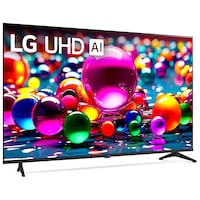
Téléviseur intelligent UHD 4K LG série UA7000 avec processeur IA, 60 Hz, 55 po
- GratuitRamassageOffert
- Livraison le même jourOffert
- Livraison à domicileIndisponible
Ramassage disponible à 08 h 00, 10 juil.


Il n’en reste que 2

À l'attention des personnes résidant au Québec: pour obtenir des renseignements sur l'entretien et la réparation, cliquez ici.

Téléviseur intelligent UHD 4K LG série UA7000 avec processeur IA, 60 Hz, 55 po
Produits similaires


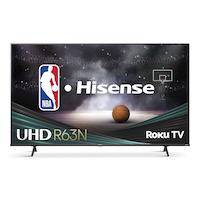
Produit Détails
Profitez d'une qualité d'image 4K saisissante et d'un divertissement fluide avec le téléviseur intelligent UHD 4K LG série UA7000. Ce téléviseur 4K offre une qualité d'image exceptionnelle ainsi qu'une technologie d'IA avancée pour une conversion ascendante 4K supérieure et un son immersif. Grâce à la commande vocale intégrée et à la compatibilité avec Alexa et l'Assistant Google, accéder à vos contenus en continu préférés n'a jamais été aussi simple.
Profitez d'une résolution 4K dans une gamme impressionnante de tailles d'écran avec les téléviseurs UHD de LG
Profitez d'une navigation rapide et facile et d'une tonne de recommandations personnalisées, dont plus de 100 chaînes de LG gratuites que vous ne pouvez obtenir nulle part ailleurs
Téléviseur UHD 4K 60HZ
Processeur Alpha 7 AI Gen8
WebOS 25
Chaînes LG
Compatible avec Alexa et Google
Équipé de 4K, HDR10, mode de faible latence automatique (ALLM), fréquence de rafraîchissement variable (VRR), et HGIG qui s'adaptent aux familles, aux acheteurs de cadeaux et aux joueurs occasionnels sans les submerger
Avec webOS 25, les chaînes LG, et prise en charge de l'assistant vocal intégré permettant d'offrir une expérience intelligente fiable et prête pour l'avenir
| Numéro de modèle de l’article | 55UA7000PUB.ACC |
|---|---|
| Certifications | Aucune certification |
| Certifications | Aucune certification |
| Couleur | Noir |
| Couleur | Noir |
| Durabilité | Certifié UL pour la validation des allégations environnementales |
| Durabilité | Certifié UL pour la validation des allégations environnementales |
| Entrées HDMI | 3 |
| Entrées HDMI | 3 |
| Fonctionnalités avancées | Téléviseur intelligent |
| Fonctionnalités avancées | Téléviseur intelligent |
|---|---|
| Forme de panneau | Plat |
| Forme de panneau | Plat |
| Fréquence de rafraîchissement (Hz) | 60 Hz |
| Fréquence de rafraîchissement (Hz) | 60 Hz |
| Hauteur du paquet (cm) | 82,50 cm |
| Hauteur du paquet (cm) | 82,50 cm |
| Hauteur du paquet (po) | 32,48 po |
| Hauteur du paquet (po) | 32,48 po |
| Hauteur une fois assemblé (pi) | 2,50 pi |
| Hauteur une fois assemblé (pi) | 2,50 pi |
| Hauteur une fois assemblé (po) | 30,00 po |
| Hauteur une fois assemblé (po) | 30,00 po |
| Largeur du paquet (cm) | 138,00 cm |
| Largeur du paquet (cm) | 138,00 cm |
| Largeur du paquet (po) | 54,33 po |
| Largeur du paquet (po) | 54,33 po |
| Largeur une fois assemblé (cm) | 25,65 cm |
| Largeur une fois assemblé (cm) | 25,65 cm |
| Largeur une fois assemblé (mm) | 256,54 mm |
| Largeur une fois assemblé (mm) | 256,54 mm |
| Largeur une fois assemblé (po) | 10,10 po |
| Largeur une fois assemblé (po) | 10,10 po |
| Liste d’accessoires | Télécommande, Support |
| Liste d’accessoires | Télécommande, Support |
| Longueur du cordon (m) | 2,00 m |
| Longueur du cordon (m) | 2,00 m |
| Longueur du cordon (pi) | 6,56 pi |
| Longueur du cordon (pi) | 6,56 pi |
| Longueur une fois assemblé (cm) | 122,68 cm |
| Longueur une fois assemblé (cm) | 122,68 cm |
| Longueur une fois assemblé (pi) | 4,02 pi |
| Longueur une fois assemblé (pi) | 4,02 pi |
| Longueur une fois assemblé (po) | 48,30 po |
| Longueur une fois assemblé (po) | 48,30 po |
| Nombre de haut-parleurs | 2 |
| Nombre de haut-parleurs | 2 |
| Nombre de ports | 6 |
| Nombre de ports | 6 |
| Non toxique | Oui |
| Non toxique | Oui |
| Plage de contrôle à distance (m) | 10,00 m |
| Plage de contrôle à distance (m) | 10,00 m |
| Plage de contrôle à distance (pi) | 32,81 pi |
| Plage de contrôle à distance (pi) | 32,81 pi |
| Poids du paquet (kg) | 68,00 kg |
| Poids du paquet (kg) | 68,00 kg |
| Poids du paquet (lb) | 149,91 lb |
| Poids du paquet (lb) | 149,91 lb |
| Poids une fois assemblé (kg) | 10,48 kg |
| Poids une fois assemblé (kg) | 10,48 kg |
| Poids une fois assemblé (po) | 23,10 lb |
| Poids une fois assemblé (po) | 23,10 lb |
| Port USB | 2 |
| Port USB | 2 |
| Profondeur du paquet (cm) | 12,60 cm |
| Profondeur du paquet (cm) | 12,60 cm |
| Profondeur du paquet (po) | 4,96 po |
| Profondeur du paquet (po) | 4,96 po |
| Puissance | 20 W |
| Puissance | 20 W |
| Puissance (watts) | 20 W |
| Puissance (watts) | 20 W |
| Rapport dʼaspect d’écran | 16:9 |
| Rapport dʼaspect d’écran | 16:9 |
| Résolution (L x H en pixels) | Ultra HD (4k) |
| Résolution (L x H en pixels) | Ultra HD (4k) |
| Taille d’écran | 55,00 po |
| Taille d’écran | 55,00 po |
| Taille d’écran (cm) | 139,70 cm |
| Taille d’écran (cm) | 139,70 cm |
| Temps de réponse (ms) | 6 ms |
| Temps de réponse (ms) | 6 ms |
| Type de téléviseur | DEL direct |
| Type de téléviseur | DEL direct |
| Type d’interfaces | HDMI, USB, Ethernet |
| Type d’interfaces | HDMI, USB, Ethernet |
- Cet article est couvert par une garantie de un an, réparation seulement,honorée dans tout magasin Canadian Tire.
- Le ramassage est gratuit dans la plupart des magasins (certains magasins exigent un montant minimum de commande avant taxes).
- Les tarifs d’expédition dépendent de la taille et du poids des articles, ainsi que de la distance entre l’adresse de livraison et le magasin.
- La livraison le jour même coûte 9,99 $ par commande.
- Informations sur une commande en ligne
- La plupart des articles peuvent être retournés ou échangés dans tous les magasins Canadian Tire dans les 90 jours suivant l’achat.
- Certains articles ne sont pas remboursables ni échangeables.
- La politique de retour décrite ci-dessus peut ne pas s’appliquer à l’article que vous consultez présentement. Pour obtenir tous les détails et connaître les critères d’admissibilité, veuillez consulter notre Politique de retour pour connaître les exceptions.
Comparer des articles semblables
Only Show Differences | ||||||
| Ratings | ||||||
| Certifications | Aucune certification | Aucune certification | Aucune certification | Energy Star | Energy Star | |
| Couleur | Noir | Noir | Noir | undefined | undefined | |
| Durabilité | Certifié UL pour la validation des allégations environnementales | Certifié UL pour la validation des allégations environnementales | Certifié UL pour la validation des allégations environnementales | Homologué Energy Star | Homologué Energy Star |


Acheter des produits connexes
- Offres hebdomadaires
- Les clients ont aussi consulté
- Vers les produits tendances
- Plus de cette marque
Offres hebdo


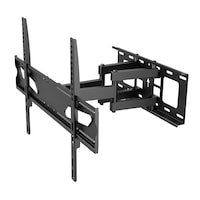
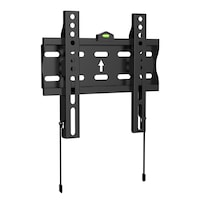
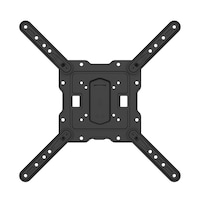

Souvent achetés ensemble


Sous-total pour 4 articles$1454.96
Points saillants de l'evaluation
Avantages
Désavantages
Évaluations
Sommaire de la notation
5 étoilesétoiles
4 étoilesétoiles
3 étoilesétoiles
2 étoilesétoiles
1 étoileétoiles
Note générale
Évaluez ce produit
Filtrer les avis
- la satisfaction
- achat
- prix
- couleur
- télécommande
- clarté
- installation
- qualité
Good tv
Oui, Je recommande ce produit.

Affiché initialement sur lg.com/uk
Great TV
Affiché initialement sur lg.com/uk
Great 4K Picture & Easy Smart TV
Oui, Je recommande ce produit.
Affiché initialement sur lg.com/uk
Excellent TV

Affiché initialement sur influenster.com
Disappointed in Picture

Affiché initialement sur lg.com/ca
Questions
Q : What is the width edge to edge (not diagonal) of UAD AI UA 77 4K 65"?
il y a 7 mois
- Traduire avec GoogleR : Hi there, thanks for reaching out. We understand you want the exact edge‑to‑edge width of the LG 86UA7700PUA (86" Class LG UHD AI UA77 4K Smart TV 2025). The TV measures 75.6 inches wide without the stand. Quick tip: when setting up, ensure your furniture or wall space can accommodate at least 76" of width for proper fit. You can check full specifications here: https://www.lg.com/us/tvs/lg-86ua7700pua-4k-uhd-tv For any further assistance, feel free to DM us at @LGUSSupport. LG Digital Care Team ^Richil y a 7 mois
Q : How can I connect an external HDD and run my own images on Gallery+? Can I screencast or Chromcast from a computer without a physical connection?
il y a un mois- Traduire avec GoogleR : Hi Rabbi, we appreciate your question, and we understand you want to use your own images with Gallery+ and also cast from your computer to your LG 55UA7700AUA. We know how important it is to personalize your screen and enjoy smooth wireless casting. To help you get everything working, here are a few quick steps: Using your own images with an external HDD: ⦁ Format the drive to FAT32 or NTFS ⦁ Plug it into the TV’s USB port ⦁ Open Photos & Videos from the Home Dashboard ⦁ Select your drive and choose the images you want to display Casting from a computer without a physical connection: Your TV supports Google Cast built‑in and Apple AirPlay 2, so you can cast wirelessly from most computers. ⦁ Windows/ChromeOS: Use Chrome → Cast → Choose your LG TV ⦁ macOS: Use AirPlay → Select your LG TV For a helpful guide on displaying your PC screen on your LG TV, you can check this LG support article: https://www.lg.com/us/support/help-library/lg-tv-connection-how-to-display-your-pc-screen-on-a-tv--20154634843473 If you need further assistance, feel free to email lgdigitalcare@lg.sprinklrsupport.com. ‑LG Digital Care Team ^Richil y a 30 jours
Q : How do I connect my 55 Inch Class LG UHD AI UA77A 4K Smart TV 2025 to a Google Drive and display my photo gallery. Are there other cloud options that do not tie up a phone, computer, or iPad?
il y a un mois- Traduire avec GoogleR : Hi Rabbi, we appreciate your question, and we understand you want your 55UA7700AUA to display photos directly from Google Drive or another cloud option without tying up a phone, computer, or tablet. We know how meaningful it is to have your gallery show up exactly the way you envision. Your TV doesn’t support a direct Google Drive login, but you can still view cloud‑stored photos smoothly. Before using any cloud method, try this quick step to confirm the TV can display your images correctly: • Move a few photos to a USB drive, plug it into the TV’s USB port, and open Photos & Videos from the Home Dashboard If that works, here are the best ways to view cloud photos on your TV: ⦁ Use the Web Browser on the TV to sign in to Google Drive and open your photos full‑screen ⦁ Use Google Cast built‑in to cast photos from Google Drive without plugging anything in ⦁ Transfer photos from Google Drive to a USB drive for a device‑free option For a helpful LG guide on displaying content from a computer or cloud service, here’s a direct link: https://www.lg.com/us/support/help-library/lg-tv-connection-how-to-display-your-pc-screen-on-a-tv--20154634843473 If you need further assistance, feel free to email lgdigitalcare@lg.sprinklrsupport.com. ‑LG Digital Care Team ^Richil y a 30 jours
Q : Are you able to turn off the AI recommendations or other AI features?
il y a un mois- Traduire avec GoogleR : Hi there, we understand you want to turn off the AI recommendations and other AI features on your LG NU85 (65NU850BPUA), and it’s great that you’re personalizing the TV to match your viewing style. Yes — those AI features can be turned off directly in the settings. Before moving forward, try this quick step: • Go to Settings → General → AI Service and switch off: AI Recommendations AI Picture AI Sound Personalized content options Here’s your TV’s manual and support page for easy reference: • https://www.lg.com/us/support/product/lg-65NU850BPUA.AUS If you need further assistance, feel free to email lgdigitalcare@lg.sprinklrsupport.com. ‑LG Digital Care Team ^Richil y a un mois
Q : What is the weight?
il y a un mois- Traduire avec GoogleR : Hi there, we understand you’re asking for the weight of the LG 55UA7700PUB 55" 4K UHD TV, and we appreciate you taking the time to check the details—making sure the TV fits your setup smoothly is always a smart move. This model weighs: • 22.7 lbs without the stand • 23.1 lbs with the stand Here’s the LG product page for reference: • https://www.lg.com/us/tvs/lg-55ua7700pub-4k-uhd-tv If you need further assistance, feel free to email lgdigitalcare@lg.sprinklrsupport.com. ‑LG Digital Care Team ^Richil y a un mois
Q : What size wall bracket do I need to hang 65A7700AUA
il y a un mois- Traduire avec GoogleR : Hi there, we appreciate you reaching out, and we understand you want to know which wall bracket fits the LG 65A7700AUA (65UA7700PUB). It’s great that you’re checking compatibility before mounting your TV. For this model, the TV uses a 200 x 300 VESA pattern, so you’ll need a wall mount that supports: • VESA 200 × 300 A helpful step before mounting: • Confirm the mount’s VESA support on the box or product page to ensure a proper fit The LG mount that is compatible with your TV is: • LG OLW480B EZ Slim Wall Mount (It supports the 65" UA7700AUA Series) Here’s the mount’s page for guidance: • https://www.lg.com/us/tv-home-theater-accessories/lg-olw480b-wall-mount If you need further assistance, feel free to email lgdigitalcare@lg.sprinklrsupport.com. ‑LG Digital Care Team ^Richil y a un mois
Q : I have English selected, but I can only hear Chinese. How can I correct this?
il y a un mois- Traduire avec GoogleR : Hi Mike, we appreciate you reaching out, and we understand how unexpected it feels when your 55NU850BPUA TV is set to English but the audio is still playing in Chinese. We want to help you get the sound back to the correct language quickly. This usually happens when the audio track of the program is set differently from the TV’s menu language. A quick step that helps many customers: • While the content is playing, go to Settings → Audio → Audio Language / Audio Track, then select English Here’s an LG guide that walks through changing language settings on your TV: • https://www.lg.com/us/support/help-library/lg-tv-how-to-change-the-language-setting--20153207575785 If you need further assistance, feel free to email lgdigitalcare@lg.sprinklrsupport.com. ‑LG Digital Care Team ^Richil y a un mois
Q : Just wanted to know if it had the magic remote?
il y a un mois- Traduire avec GoogleR : Hi Hacksaw, we appreciate you reaching out, and we understand you want to confirm whether the 65NU850BPUA includes the Magic Remote. It’s great that you’re double‑checking what comes with the TV so you know exactly what to expect. This model includes a standard remote, and it is Magic Remote‑ready if you’d like the added pointer and voice features. If you’d like to upgrade, here’s the compatible Magic Remote: • LG AI Magic Remote (MR25GA) • https://www.lg.com/us/tv-home-theater-accessories/lg-mr25ga-magic-remote If you need further assistance, feel free to email lgdigitalcare@lg.sprinklrsupport.com. ‑LG Digital Care Team ^Richil y a un mois
Q : Is this rated for outdoor use?
il y a 2 mois- Traduire avec GoogleR : Hello, JC. We understand your inquiry regarding whether the LG 55 inch Class UA7700 Series LED 4K UHD Smart webOS TV 55UA7700PUB is rated for outdoor use. This specific model is designed and rated for indoor residential use only as it does not have the specialized protection against moisture, dust, or extreme temperature fluctuations required for outdoor environments. One helpful troubleshooting step to protect your TV is to ensure it is placed in a well-ventilated indoor area away from direct sunlight or heat sources to maintain its longevity and picture performance. Please send us an email at lgdigitalcare@lg.sprinklrsupport.com if you need further assistance on your inquiry or if you have further questions. ^Jamesil y a 2 mois
Q : I cannot find where to attach power cord to tv
il y a 2 mois- Traduire avec GoogleR : Hello, thanks for reaching out to us. We understand you’re setting up your 50UA7700PUB and want clear guidance on where the power cord connects. The power cord attaches to the recessed AC IN port on the back-left side of the TV when viewing the back panel. A helpful first step: • Place the TV face‑down on a soft surface • Look for the recessed AC IN label • Insert the included power cord firmly until fully seated For visual guidance, here’s the official manual link for your model: • https://www.lg.com/us/support/product/lg-50UA7700PUB.AUS?tab=1 If you need further assistance, feel free to email lgdigitalcare@lg.sprinklrsupport.com. ‑LG Digital Care Team ^Richil y a 2 mois