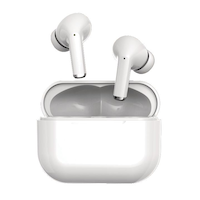
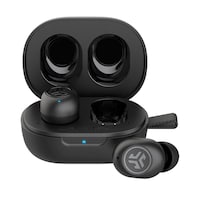
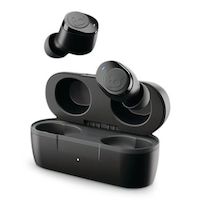
Écouteurs bouton Bluehive True Wireless avec étui de chargement pour la course à pied
Malheureusement, cet article ne fait plus partie de l’assortiment du magasin que vous avez sélectionné et les magasins de la région.
Ces produits similaires présentés ci-dessous pourraient vous intéresser.Objets similaires
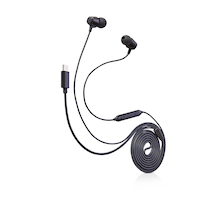
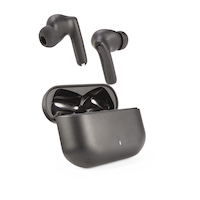

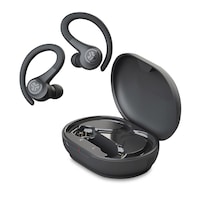
À l'attention des personnes résidant au Québec: pour obtenir des renseignements sur l'entretien et la réparation, cliquez ici.
Objets similaires
Produit Détails
Écouteurs-boutons vraiment sans fil Bluehive BluePods qui vous aident à vous entraîner librement tout en écoutant de la musique avec des basses améliorées, ce qui vous évite d'avoir à gérer les fils des écouteurs. Conçus pour un ajustement ergonomique, ces écouteurs bouton sans fil offrent confort et stabilité pendant vos entraînements. Commandes tactiles et assistance vocale intégrées qui vous permettent de gérer facilement votre musique et vos appels et technologie de synchronisation automatique qui assure une connectivité rapide et fluide. Avec une distance sans fil de 9,1 m (30 pi), vous pouvez vous déplacer librement dans le gym sans compromettre la qualité de connexion avec vos écouteurs bouton. Étui de chargement offrant jusqu'à 20 heures d'autonomie et écouteurs bouton eux-mêmes offrant jusqu'à 4 à 5 heures de lecture. Garantie de 1 an comprise.
Écouteurs-boutons vraiment sans fil Bluehive BluePods dotés d'un ajustement ergonomique et stable avec des commandes tactiles intégrées
Compatible avec l'assistant vocal
Basses améliorées
Jumelage automatique pour une connectivité rapide
Portée sans fil : 9,1 m (30 pi)
Jusqu'à 20 heures d'autonomie totale et un temps de lecture de 4 à 5 heures
| Numéro de modèle de l’article | CTCE026T199 |
|---|---|
| Type de casque dʼécoute | Intra-auriculaire |
| Compatibilité aux systèmes intelligents | Google Assistant, Apple iOS |
| Autonomie de la pile (h) | 5 h |
| Couleur | Blanc |
| Fonctionnalités avancées | Commande vocale, Sans fil |
| Longueur une fois assemblé (po) | 1,89 po |
| Largeur une fois assemblé (po) | 1,02 po |
| Profondeur une fois assemblé (po) | 2,20 po |
| Portée sans fil efficace (pi) | 30,00 pi |
| Source d'alimentation | Pile |
|---|---|
| Type de pile/taille de la pile | Pile rechargeable intégrée |
| Matériau du coussin | S. O. |
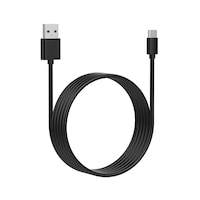
| Liste d’accessoires | Coffret de recharge, Piles comprises, Câble de recharge USB |
| Nombre de pièces | 3 |
| Puissance | 0 W |
| Plage de fréquence minimale (MHz) | 0,00 MHz |
| Plage de fréquence maximale (MHz) | 0,02 MHz |
- Si cet article est défectueux, il est couvert par la garantie du fabricant. Dans le cas où aucune garantie n'est indiquée, cet article est couvert par une garantie de un an honorée dans tout magasin Canadian Tire.
- Consulter les guides de l’utilisateur et d'autres renseignements sur les articles
- Le ramassage est gratuit dans la plupart des magasins (certains magasins exigent un montant minimum de commande avant taxes).
- Les tarifs d’expédition dépendent de la taille et du poids des articles, ainsi que de la distance entre l’adresse de livraison et le magasin.
- La livraison le jour même coûte 9,99 $ par commande.
- Informations sur une commande en ligne
- La plupart des articles peuvent être retournés ou échangés dans tous les magasins Canadian Tire dans les 90 jours suivant l’achat.
- Certains articles ne sont pas remboursables ni échangeables.
- La politique de retour décrite ci-dessus peut ne pas s’appliquer à l’article que vous consultez présentement. Pour obtenir tous les détails et connaître les critères d’admissibilité, veuillez consulter notre Politique de retour pour connaître les exceptions.
Comparer des articles semblables
Only Show Differences | ||||||
| Ratings | ||||||
| Type de casque dʼécoute | Intra-auriculaire | |||||
| Compatibilité aux systèmes intelligents | Google Assistant, Apple iOS | |||||
| Autonomie de la pile (h) | 5 h |


Acheter des produits connexes
- Offres hebdomadaires
- Les clients ont aussi consulté
- Vers les produits tendances
- Plus de cette marque
Offres hebdo

Points saillants de l'evaluation
Avantages
Désavantages
Évaluations
Filtrer les avis
- prix
- achat
- qualité
- charge
- retours
- la satisfaction
- connexions
- utilisation avec le téléphone
Complete garbage
Non, Je ne recommande pas ce produit.
PROBLEME AVEC LE COTÉ GAUCHE
Avoid at all costs
Non, Je ne recommande pas ce produit.
Satisfaction
..
Questions
Q : I got blue hive wireless ear buds 035-8022 and the right one is not working it won't turn on or charge when I put it on the charger it blinks red and green then turns off how can I fix this
il y a 4 ans- Traduire avec Google
R : It's defective. It's been a common problem but this won't get published to the website as Canadian Tire doesn't like negative comments even thought it breaks it's own rules of what reviews are about.
il y a 4 ansUtile?
Q : Will the Bluehive BluePods True Wireless EarBuds work with the Oculus Quest 2 virtual reality headset?
il y a 4 ans- Traduire avec Google
R : Please be advised that the Oculus Quest 2 VR headsets have Integrated speakers and microphone and therefore do not officially support Bluetooth® headphones or earbuds. However, even though Bluetooth headphones or earbuds aren’t ‘officially’ supported, there may be a way that players can still connect them up to their Oculus Quest 2 VR headsets. Thanks to the Experimental Features that Oculus offers. Please see instructions below on how one may achieve this objective. Instructions: How To Connect Bluetooth® Headphones or Earbuds to Oculus Quest 2 Enabling Experimental Features on your Quest 2 headset will allow you to pair your headset via Bluetooth. Follow these steps: From your Quest 2, open the Settings menu Select Experimental Features Turn on your headphones and make sure they are detectable, then press the Pair button next to Bluetooth Pairing Select your headphones from the list of available devices, and you should be good to go from here. It’s worth pointing out that this isn’t something that’s officially supported by the Quest 2 at this moment. So, there may be issues with lag and the audio being out of sync with what’s happening on-screen. This seems to be more of an issue with games than with apps such as Netflix. If using Bluetooth headphones is something a user is anxious to try, then there is no harm in doing so. It won’t void the warranty or break the Quest 2 VR headset. Just don’t be too disappointed if the experience isn’t everything a user is expecting. Whether this is a feature that Oculus hopes to implement in the future remains to be seen.
il y a 4 ansUtile?
Q : Does it have a Microphone? Can I use it with iPhone or Android phone for phone conversation? Any software updates required?
il y a 4 ans- Traduire avec Google
R : Hi...I would not purchase these airbuds. The bluetooth connectivity is very poor.
il y a 4 ansUtile?
Q : Do these pods have any audio lag or latency when watching tv ?
il y a 4 ans- Traduire avec Google
R : These are garage earphones
il y a 4 ansUtile?
Q : I have these and now only one of them is working I don’t know why. The charging case is fully charged and so is the earbud I believe (because of the blue light) but even powering it on doesn’t help. I still can’t hear anything
il y a 4 ans- Traduire avec Google
R : Electric charge is not working
il y a 4 ansUtile?
Q : Do both ear buds have the red lights? The left ones blue light only comes on when it's put in the case. I can't get it to pair or have sound.
il y a 4 ans- Traduire avec Google
R : Delete and re pair….
Anonymeil y a 4 ansUtile?
Q : What type of cord is used to charge the case?
il y a 4 ans- Traduire avec Google
R : Any Standard Micro-USB charging cable can be used to charge the case.
il y a 4 ansUtile?
Q : How to re-pair to an iPhone. I accidentally clicked on forget device and now it won’t show up under Bluetooth.
il y a 2 ans- Traduire avec Google
R : 1) Turn off Bluetooth feature on the iPhone. 2) After Bluetooth is disabled on the iPhone, turn Bluetooth feature back on the iPhone and ensure it is enabled. 3) Open the charging case and take earbuds out, the earbuds will automatically turn on. 4) To pair the earbuds with your iPhone, open the Bluetooth setting on your device and select "Bluehive 035-8022" . After the initial pairing, the earbuds should pair to the device automatically every time they are taken out of the charging case and should be ready for use.
il y a 2 ansUtile?
Q : For the Bluehive Bluepods wireless earbuds, for the case of them, what does it mean if the LED light is flashing red?
il y a 3 ans- Traduire avec Google
R : When battery is low, a red light will flash every 5 seconds for left or right earbud and you will hear a warning message or tone. The light will turn off when the earbud batteries have been completely depleted. Place the earbuds back into the charging case to recharge.
il y a 3 ansUtile?
Q : I bought these about a week ago but every time I pair them they keep flashing green every 3-4 seconds, can I turn this off?
il y a 3 ans- Traduire avec Google
R : Sounds like battery is getting low? Have you plugged them in lately?
il y a 3 ansUtile?