SkyTime
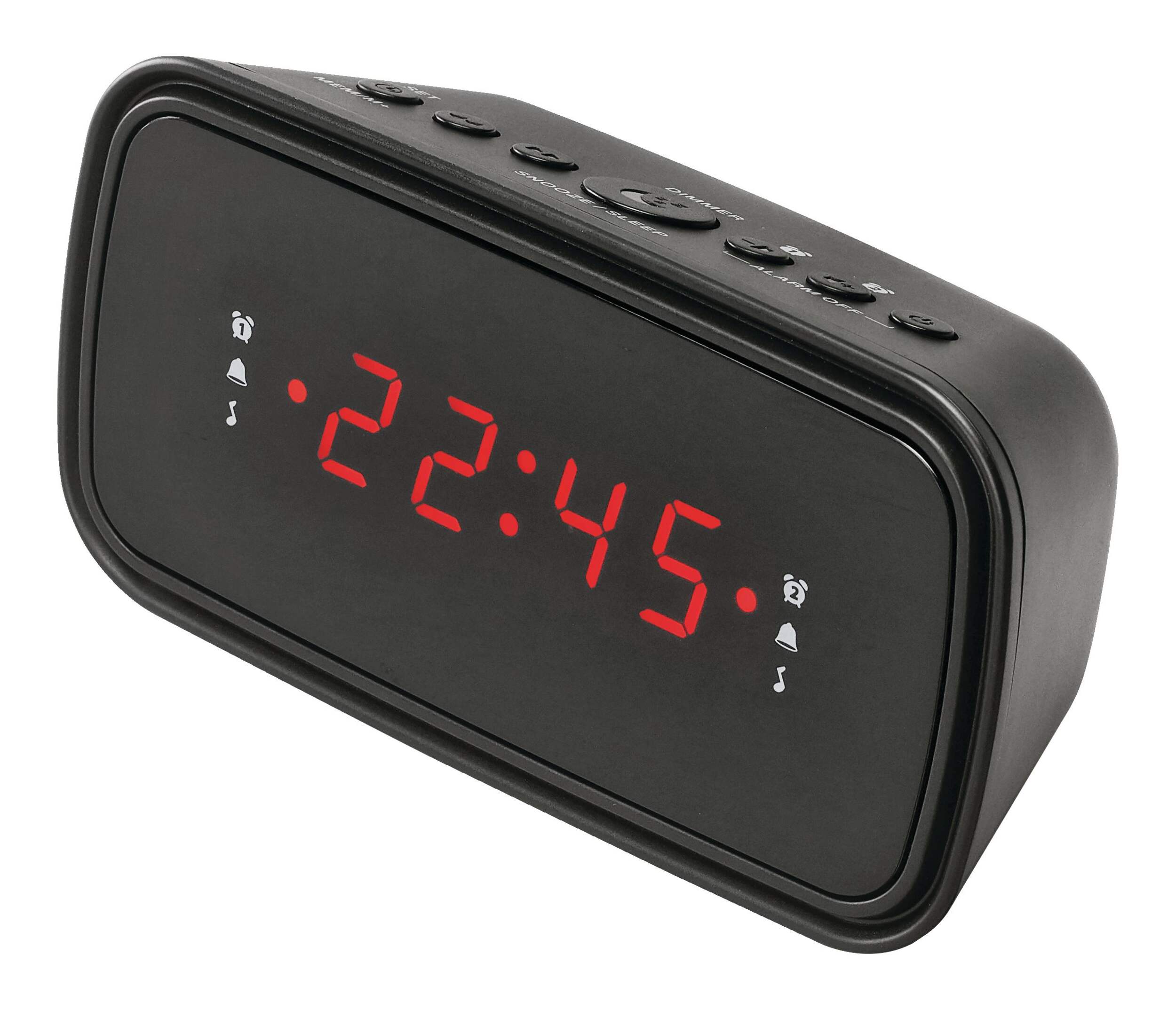
SkyTime Dual Alarm Digital AM/FM Clock Radio, Black
Unfortunately, this product is discontinued in your selected store and nearby stores.
You may be interested in these similar products shown below.Similar Items





Quebec residents: For information on maintenance and repair click here.


Product Details
Introducing the SkyTime Dual Alarm Digital AM/FM Clock Radio—a perfect fusion of functionality and style. This sleek device features an AM/FM radio and a dual alarm feature that lets you set multiple wake times, making it ideal for busy mornings or shared spaces. With its adjustable dimmer, you can easily set the perfect light level to match your preferences, ensuring a comfortable environment at any hour. Stay on schedule and enjoy your favourite radio stations effortlessly with SkyTime, the perfect companion for your bedside table.
High-quality plastic casing
Features a battery backup in case of power outage
Colour: Black
Model #: SCR2112
| Part Number | SCR2112 |
|---|---|
| Accessories List | No Accessories Included |
| Advanced Features | Battery Backup |
| Assembled Height (cm) | 8.20 cm |
| Assembled Height (ft) | 0.27 ft |
| Assembled Height (in) | 3.23 in |
| Assembled Length (cm) | 5.99 cm |
| Assembled Length (ft) | 0.20 ft |
| Assembled Length (in) | 2.36 in |
| Assembled Weight (kg) | 0.50 kg |
| Assembled Weight (lb) | 1.10 lb |
|---|---|
| Assembled Width (cm) | 15.49 cm |
| Assembled Width (in) | 6.10 in |
| Assembled Width (mm) | 154.94 mm |
| Batteries Required Quantity | 1 |
| Battery Technology | Alkaline |
| Battery Type/Battery Size | CR2 |
| Clock Type | Alarm |
| Colour | White |
| Display Type | Digital |
| Displays Include | Time |
| Face Colour/Finish | Black |
| Face Diameter (cm) | 5.99 cm |
| Face Diameter (in) | 2.36 in |
| Face Shape | Rectangle |
| Frame Colour | White |
| Frame Material | Plastic |
| Frame Type | Frameless |
| Lens Material | Plastic |
| Movement Type | Automatic |
| Numbers Style | Digital |
| Package Depth (cm) | 10.00 cm |
| Package Depth (in) | 3.94 in |
| Package Height (cm) | 9.00 cm |
| Package Height (in) | 3.54 in |
| Package Weight (kg) | 1.00 kg |
| Package Weight (lb) | 2.20 lb |
| Package Width (cm) | 14.00 cm |
| Package Width (in) | 5.51 in |
| Power Source(s) | Electric |
| Product Use(s) | Indoor |
| Smart System Compatibility | No Smart Technology |
- This product carries a 1 year exchange warranty redeemable at any Canadian Tire store.
- Pick Up is free at most stores (some stores require a minimum order value before tax)
- Shipping fee is based on size and weight of products and distance from address to store
- Same-Day Delivery costs $9.99 per order
- Online Ordering Information
- Most products can be returned or exchanged at any Canadian Tire store within 90 days of purchase
- Some products are non-refundable and non-exchangeable
- The return policy outlined above may not apply to the product you are currently viewing. For complete details and eligibility, please refer to our Return Policy for exceptions.
Compare Similar Products
Only Show Differences | Currently Viewing | |||||
| Ratings | ||||||
| Accessories List | No Accessories Included | No Accessories Included | No Accessories Included | No Accessories Included | Other | |
| Advanced Features | Battery Backup | Battery Backup | Battery Backup | Digital Tuner, Dimmable, USB Port | Weatherband, Headset Jack, Telescopic/Folding Antenna | |
| Assembled Height (cm) | 8.20 cm |




Shop Related Products
- Weekly Deals
- Customers Also Viewed
- Top Trending Products
- More From This Brand


Review Highlights
Reviews
Customer Images and Videos
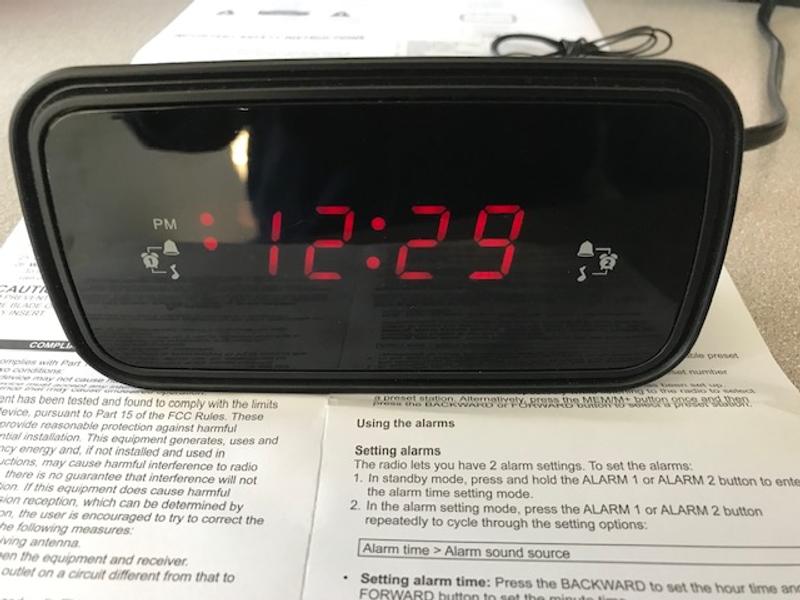
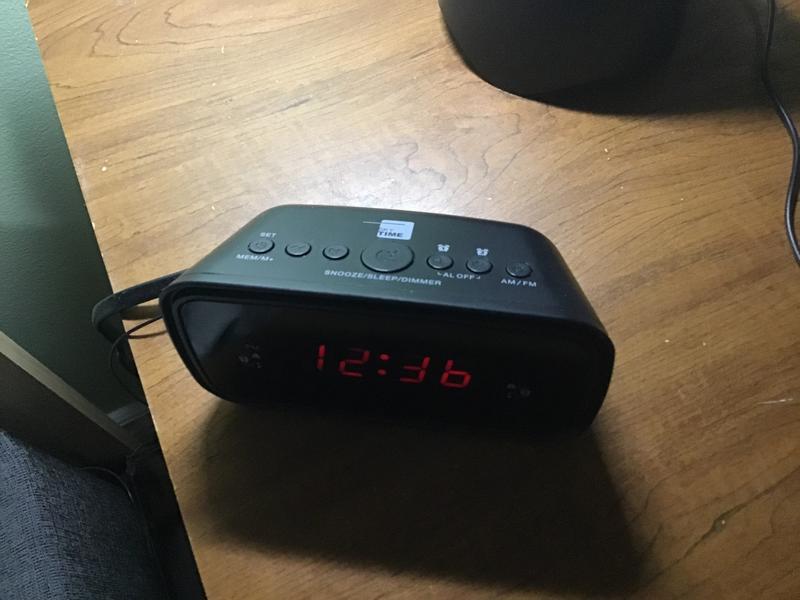
Filter Reviews
- radio
- alarm
- purchase
- instructions
- price
- buttons
- display
- ease of use
Doesn't work well
Does what it’s supposed too.
Great alarm clock
Difficult setting time
Returned as not exactly hat was wanted
Questions
Q: I purchased 2 of these. Each one loses about 2-3 minutes every month. I am constantly resetting the time. How do I keep these clocks from losing time? They're plugged in. It's very frustrating.
2 years agoA: Hi: I have had mine for awhile. I live in Yellowknife and our power goes off on a regular basis so have to reset quite regularly. Have not noticed it losing any time though. That is strange though as it is an electric clock radio.
2 years agoHelpful?
Q: How do I stop the alarm........never mind .....now I can't stop the radio......with no manual available I just through this piece of junk in the garbage........I can't believe a quality retailer like Canadian Tire would sell this product
10 months agoA: You press Alarm 1 or Alarm 2 button to stop alarm for radio or sounding alarm. I have never used alarm only time display since the radio stopped working after first use. Never returned clock since Canadian Tire will not accept unopened purchases.
10 months agoHelpful?
Q: Comment ajuster la radio comme alarme
a year ago- Translate with Google
A: Réglage des alarmes La radio vous permet de régler 2 alarmes. Pour régler les alarmes : 1. En mode veille, appuyez sur la touche ALARM 1 ou ALARM 2 et maintenez-la enfoncée pour accéder au mode de réglage de l'heure de l'alarme. 2. En mode de réglage de l'alarme, appuyez plusieurs fois sur la touche ALARM 1 ou ALARM 2 pour faire défiler les options de réglage : Heure de l'alarme > Source sonore de l'alarme - Réglage de l'heure de l'alarme : Appuyez sur la touche BACKWARD pour régler l'heure et sur la touche FORWARD pour régler les minutes. - Réglage de la source sonore de l'alarme : Appuyez sur la touche BACKWARD ou FORWARD pour sélectionner l'alarme ou la radio comme source sonore de l'alarme. L'indicateur d'alarme correspondant s'allume en fonction de votre sélection. - Remarque : lorsque l'alarme est réglée sur le mode radio, elle utilise la dernière station de radio syntonisée.
Anonymousa year agoHelpful?
Q: How do you get standby mode
2 years agoA: I found the instructions for the SkyTime clock radio somewhat difficult to follow, but it seems to go into standby mode automatically as soon as you plug it in.
2 years agoHelpful?
Q: After trying to get his darn thing to work properly I still cant figure out HOW do I set it so that the TIME stays lite up?? in rder to see time i have to press the set button.. then it shuts off after ?6 seconds..has to be a lemon??
2 years agoA: I followed the instructions under setting the clock, #1.
2 years agoHelpful?
Q: How do you set the 24hour time setting for this clock radio? (i.e. having the time display 22:45 instead of 10:45)?
4 years agoA: I believe start with menu then when time flashes u should b able to set it for 24 hr setting.
4 years agoHelpful?
Q: Does this alarm clock offer the option of 24 hour time format?
4 years agoA: After purchasing and then returning this item, this clock does not offer the 24 hour time option contrary to the image displayed on the CT website showing 22:45 as the time.
4 years agoHelpful?
Q: Est-ce possible d'avoir le manuel d'instruction ?
a year ago- Translate with Google
A: Bonjour, veuillez consulter le manuel d’instructions ci-joint
a year agoHelpful?
Q: On a scale from 1 to 10; how loud is this alarm?
2 years agoA: Hello, The alarm is quite load. I would say 8 out of 10.
a year agoHelpful?
Q: How do I set the alarm?
2 years agoA: 1. In standby mode, press and hold the ALARM1 or ALARM 2 button to enter the alarm time setting mode. 2. In the alarm setting mode, press the ALARM 1 or ALARM 2 button repeatedly to cycle through the setting options: Alarm time > Alarm sound source Setting alarm time: Press the BACKWARD to set the hour time and FORWARD button to set the minute time Setting alarm sound source: Press the BACKWARD or FORWARD to select the alarm or radio as the alarm sound source.
2 years agoHelpful?