SkyTime
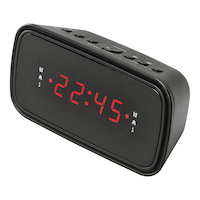
Sky Time Projection Digital AM/FM Clock Radio, Black
Unfortunately, this product is discontinued in your selected store and nearby stores.
You may be interested in these similar products shown below.Similar Items

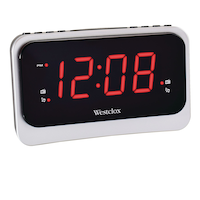
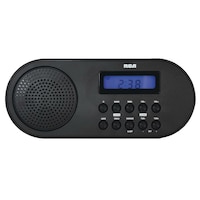


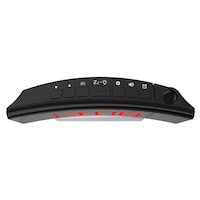
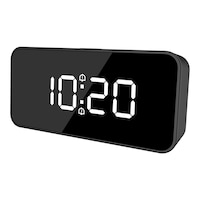
Quebec residents: For information on maintenance and repair click here.

Similar Items


Product Details
Introducing the SkyTime Projection Digital AM/FM Clock Radio—a stylish addition to your bedside table that brings convenience to your daily routine. This innovative clock features a unique time projection for effortless viewing, allowing you to check the time at a glance. With a three-phase dimmer, you can easily adjust the brightness to match your preference, ensuring a comfortable ambiance in any lighting. Designed with your needs in mind, the SkyTime includes snooze and sleep functions for a personalized wake-up experience. Plus, the dual alarm feature lets you set two separate alarms, perfect for managing different schedules.
High-quality plastic casing
Electric operated
Battery backup in case of power outage
Model #: SCR2022
| Part Number | SCR2022 |
|---|---|
| Accessories List | No Accessories Included |
| Advanced Features | Battery Backup |
| Assembled Height (cm) | 6.50 cm |
| Assembled Height (ft) | 0.21 ft |
| Assembled Height (in) | 2.56 in |
| Assembled Length (cm) | 5.50 cm |
| Assembled Length (ft) | 0.18 ft |
| Assembled Length (in) | 2.17 in |
| Assembled Weight (kg) | 0.30 kg |
| Assembled Weight (lb) | 0.66 lb |
|---|---|
| Assembled Width (cm) | 12.50 cm |
| Assembled Width (in) | 4.92 in |
| Assembled Width (mm) | 125.00 mm |
| Batteries Required Quantity | 1 |
| Battery Technology | Alkaline |
| Battery Type/Battery Size | CR2 |
| Clock Type | Alarm |
| Colour | Black |
| Display Type | Digital |
| Displays Include | Time |
| Face Colour/Finish | Black |
| Face Diameter (cm) | 4.00 cm |
| Face Diameter (in) | 1.57 in |
| Face Shape | Rectangle |
| Frame Colour | Black |
| Frame Material | Plastic |
| Frame Type | Frameless |
| Lens Material | Plastic |
| Movement Type | Automatic |
| Numbers Style | Digital |
| Package Depth (cm) | 10.00 cm |
| Package Depth (in) | 3.94 in |
| Package Height (cm) | 8.00 cm |
| Package Height (in) | 3.15 in |
| Package Weight (kg) | 1.00 kg |
| Package Weight (lb) | 2.20 lb |
| Package Width (cm) | 16.00 cm |
| Package Width (in) | 6.30 in |
| Power Source(s) | Electric |
| Product Use(s) | Indoor |
| Smart System Compatibility | No Smart Technology |
- This product carries a 1 year exchange warranty redeemable at any Canadian Tire store.
- Pick Up is free at most stores (some stores require a minimum order value before tax)
- Shipping fee is based on size and weight of products and distance from address to store
- Same-Day Delivery costs $9.99 per order
- Online Ordering Information
- Most products can be returned or exchanged at any Canadian Tire store within 90 days of purchase
- Some products are non-refundable and non-exchangeable
- The return policy outlined above may not apply to the product you are currently viewing. For complete details and eligibility, please refer to our Return Policy for exceptions.
Compare Similar Products
Only Show Differences | Currently Viewing | |||||
| Ratings | ||||||
| Accessories List | No Accessories Included | No Accessories Included | No Accessories Included | No Accessories Included | No Accessories Included | |
| Advanced Features | Battery Backup | Battery Backup | Digital Tuner | Digital Tuner, Dimmable, USB Port | Battery Backup | |
| Assembled Height (cm) | 6.50 cm |




Shop Related Products
- Weekly Deals
- Customers Also Viewed
- Top Trending Products
- More From This Brand
Weekly Deals




Review Highlights
Reviews
Customer Images and Videos
Filter Reviews
- ceiling projection
- radio
- purchase
- satisfaction
- small
- returns
- ease of use
- instructions
Clock radio
Shopper
Poor range
Cadran
Alarm
Questions
Q: I cannot set the time…my husband can’t figure it out. It has to be simple…WTF…lol I press and hold the time button…it flashes…then I try the arrow keys and nothing happens?
3 years agoA: It worked for me...is this what u tried? 1. Press and hold the CLK.ADJ/mem. button, the time will start to flash. 2. Press the << TUNE DOWN / HOUR button to increase the HOUR. 3. Press the >> TUNE UP / MIN button to increase the MINUTES. 4. Once time is set correctly, press the CLK.ADJ button. NOTE: • Press the >> TUNE UP / MIN or << TUNE DOWN / HOUR button once to increase one number at a time. • Press and hold the >> TUNE UP / MIN or << TUNE DOWN / HOUR button to quickly increase the numbers.
3 years agoHelpful?
Q: What is the degree of the projection? 180 or 360?
4 years agoA: The display is parallel to the width of the clock. It has a flip function to rotate it 180 deg (so the answer is both 180 and 360 deg)
4 years agoHelpful?
Q: Does the radio have an earphone jack ?
2 years agoA: No.
2 years agoHelpful?
Q: A Sky Time projector clock-radio. In what position do I put the 2032 battery?
2 years ago- Translate with Google
A: Hello, Positive (+) end of the battery is placed face down. There is a diagram on the battery cover indicating the direction. Thanks!
2 years agoHelpful?
Q: Est-ce que l'affichage est en format 24 heures?
2 years ago- Translate with Google
A: Hello, L'affichage est uniquement au format 12 heures. English Display is only 12 hour format.
2 years agoHelpful?
Q: Can you turn the time projection off?
5 years agoA: Yes, there is an on/off button for the projection light.
5 years agoHelpful?
Q: Ok, I will email and request a copy of the manual as well. So my question is, I am the 7th person who needs a copy of the user manual. How many customer requests does it take have a copy posted to the product page?
6 years agoA: Thank you for your feedback. A request has been submitted to upload the manual to the Product Page.
6 years agoHelpful?
Q: Hey I was wondering how do you set the snooze time I did had it to go but I forgot how to do it agai.
6 years agoA: Press the front button marked snooze to adjust the Snooze time. If you require a copy of the instructions, please email our office at customerservice@canadiantire.ca. You may also call us at 1-800-387-8803 to have a copy mailed.
6 years agoHelpful?
Q: Is this clock digital?
6 years agoA: Yes, it is.
6 years agoHelpful?
Q: I am having a hard time setting the time on my sky time alarm clock. It says to put it into standby mode and hold the Clock button down but it doesn’t do anything.
6 years agoA: Please contact our customer service at 1-800-387-8803 to have the manual mailed or emailed to you. You can reach us by email at customerservice@canadiantire.ca
6 years agoHelpful?