
SkyTime
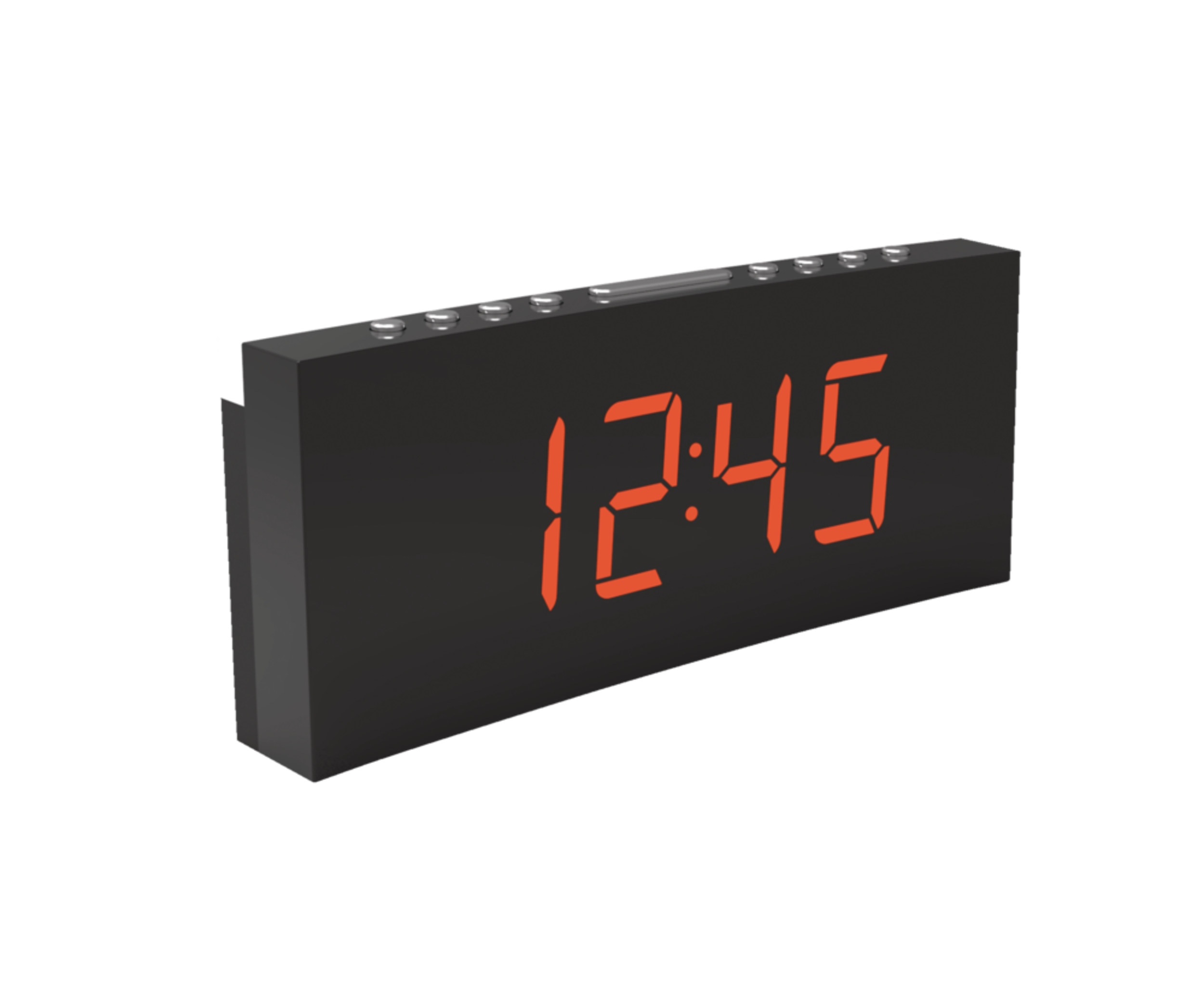
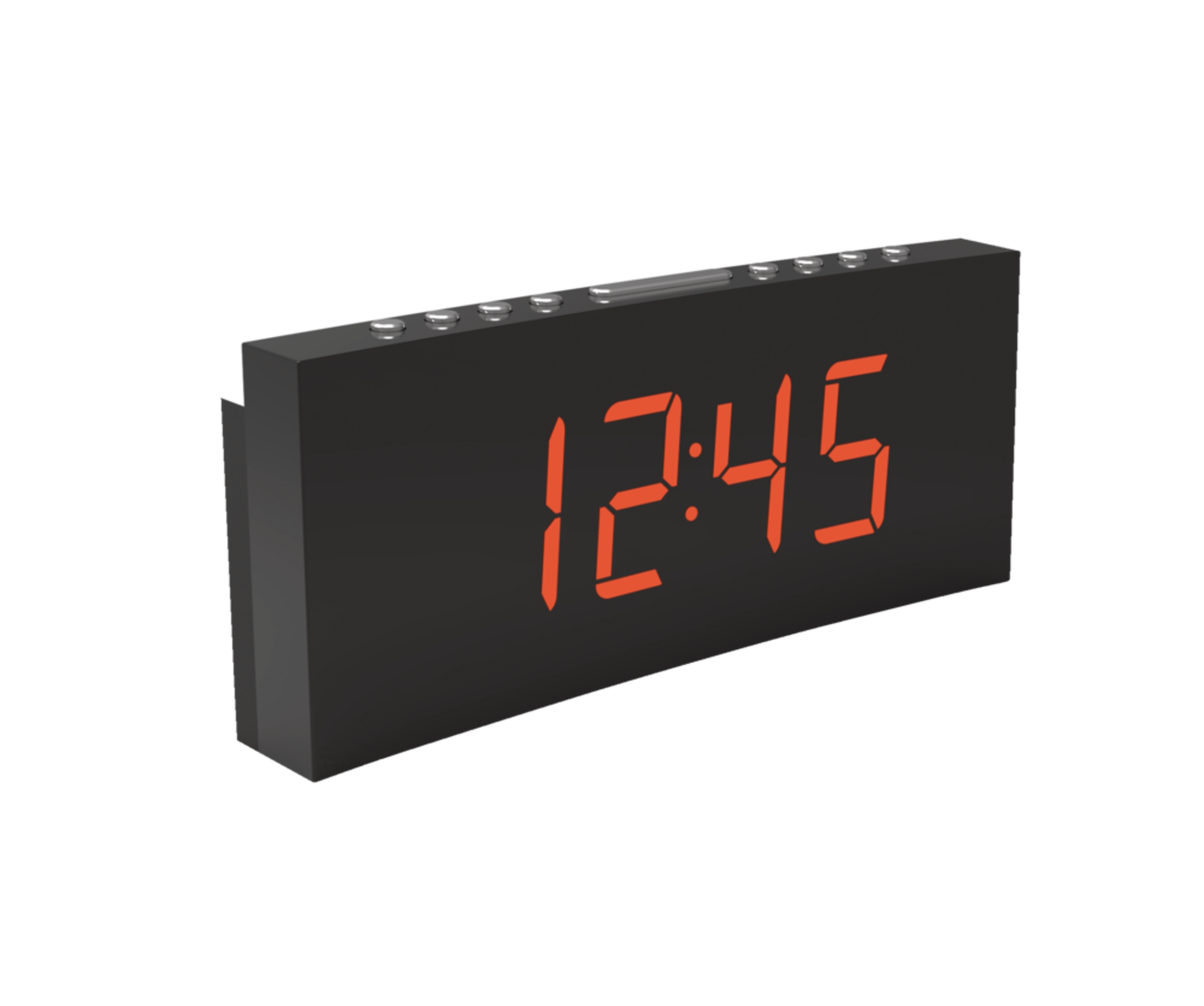
Sky Time Dual Alarm LED Digital AM/FM Clock Radio with USB Charging Port, 1.8-in
#044-1291-6
$46.99
Unfortunately, this product is discontinued in your selected store and nearby stores.
You may be interested in these similar products shown below.Similar Items

Quebec residents: For information on maintenance and repair click here.

Similar Items

Product Details
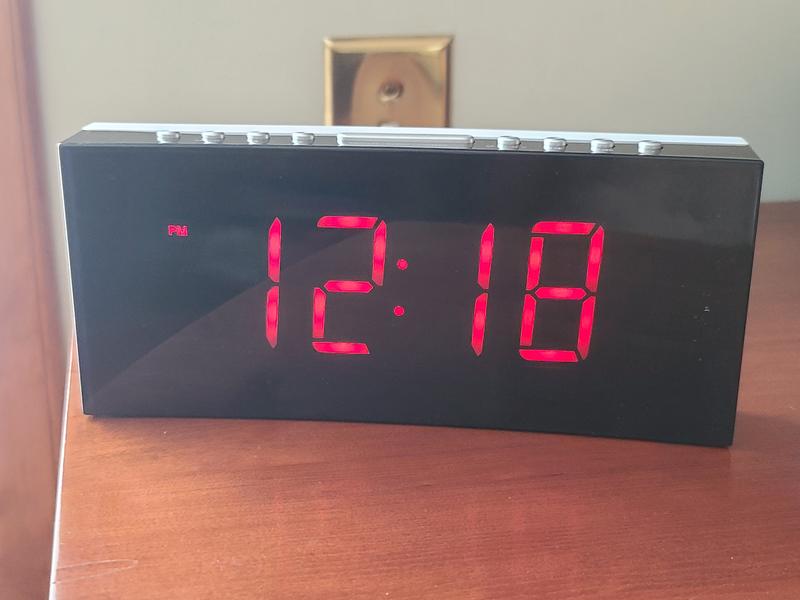
AM/FM Sky Time LED Clock Radio features a dual alarm
3 phase clock dimmer
Features USB charging and LED night light
Snooze and sleep functions
Size: 1.8" (4.5 cm) jumbo clock display
Model #: SCR2025
| Part Number | SCR2025 |
|---|---|
| Accessories List | No Accessories Included |
| Advanced Features | Battery Backup |
| Assembled Height (cm) | 15.00 cm |
| Assembled Height (ft) | 0.49 ft |
| Assembled Height (in) | 5.91 in |
| Assembled Length (cm) | 11.00 cm |
| Assembled Length (ft) | 0.36 ft |
| Assembled Length (in) | 4.33 in |
| Assembled Weight (kg) | 0.80 kg |
| Assembled Weight (lb) | 1.76 lb |
|---|---|
| Assembled Width (cm) | 15.00 cm |
| Assembled Width (in) | 5.91 in |
| Assembled Width (mm) | 150.00 mm |
| Batteries Required Quantity | 3 |
| Battery Technology | Alkaline |
| Battery Type/Battery Size | AAA |
| Clock Type | Alarm |
| Colour | White |
| Display Type | Digital |
| Displays Include | Time |
| Face Colour/Finish | Black |
| Face Diameter (cm) | 6.00 cm |
| Face Diameter (in) | 2.36 in |
| Face Shape | Oval |
| Frame Colour | White |
| Frame Material | Plastic |
| Frame Type | Frameless |
| Lens Material | Plastic |
| Movement Type | Automatic |
| Numbers Style | Digital |
| Package Depth (cm) | 9.00 cm |
| Package Depth (in) | 3.54 in |
| Package Height (cm) | 9.00 cm |
| Package Height (in) | 3.54 in |
| Package Weight (kg) | 1.00 kg |
| Package Weight (lb) | 2.20 lb |
| Package Width (cm) | 21.00 cm |
| Package Width (in) | 8.27 in |
| Power Source(s) | Electric |
| Product Use(s) | Indoor |
| Smart System Compatibility | No Smart Technology |
Warranty
- This product carries a 1 year exchange warranty redeemable at any Canadian Tire store.
Online Ordering
- Pick Up is free at most stores (some stores require a minimum order value before tax)
- Shipping fee is based on size and weight of products and distance from address to store
- Same-Day Delivery costs $9.99 per order
- Online Ordering Information
Returns
- Most products can be returned or exchanged at any Canadian Tire store within 90 days of purchase
- Some products are non-refundable and non-exchangeable
- The return policy outlined above may not apply to the product you are currently viewing. For complete details and eligibility, please refer to our Return Policy for exceptions.
Compare Similar Products
Only Show Differences | ||||||
| Ratings | ||||||
| Accessories List | No Accessories Included | No Accessories Included | No Accessories Included | No Accessories Included | No Accessories Included | |
| Advanced Features | Battery Backup | Battery Backup | Digital Tuner | Digital Tuner, Dimmable, USB Port | Battery Backup | |
| Assembled Height (cm) | 15.00 cm |


Shop Related Products
- Weekly Deals
- Customers Also Viewed
- Top Trending Products
- More From This Brand
Weekly Deals

Review Highlights
List of Pros Highlights
Pros
List of Cons Highlights
Cons
Suitable Cons could not be generated at this time.
Reviews
Customer Images and Videos
Filter Reviews
- radio
- ease of use
- instructions
- buttons
- product features
- settings
- alarm
- purchase
Rating
Locale
1 to 5 of 25 Reviews
1 – 5 of 25 Reviews
Most Recent
2 out of 5 stars.
Difficult to set
a year ago
This clock was so difficult to set, I returned it. I’ve never experienced similar difficulties with other clocks.
Helpful?
5 out of 5 stars.
Clock is clocking
2 years ago
Characters are big and not so bright, see very clearly at night and during the day even if there's sunlight shining on it. Setting the time is not very intuitive but once you lean it, don't don't forget
Helpful?
5 out of 5 stars.
Clock radio
2 years ago
Works great and can be dimmed
Helpful?
3 out of 5 stars.
A reasonable clock/radio in this price range
2 years ago
It is an ok clock radio but that's about it, nothing special. Some of the buttons on the top are multipurpose, which can be a little confusing at times. The sound is rather tinny but about what you'd expect from a radio of this calibre. It would be nice if it had an autodimming feature, but you can manually dim it down at night. One error in the description is that it takes a AAA battery. It does not - the battery is a 2032 button. The size of the display is good for our older eyes.
Yes, I recommend this product.
Helpful?
4 out of 5 stars.
Easy to read clock
2 years ago
Smart looking and easy to use and read. I really like the curved design
Yes, I recommend this product.
Helpful?
1 – 5 of 25 Reviews
Questions
Start typing your question and we'll check if it was already asked and answered.
1 - 10 of 13 Questions
Most helpful answers
Q: I know there should be a little red indicator. I have set the time and the alarm but no am/pm shows up. How do I get the am/pm indicator??
2 years ago2 Answers
A: As you scroll throught the hours it indicates PM only..no light equals am
2 years agoHelpful?
Q: The manual doesn't tell how to set am or pm time. How do I know if the time is pm and the alarm is am?
2 years ago2 Answers
A: Hi, when setting the hour time with the BACKWARD BUTTON, you need to cycle through the 12 hour period until the PM indicator is illuminated. SETTING THE CLOCK: - In standby mode, press and hold the SET button to enter the clock setting. - Press the SET button repeatedly to cycle through the setting options. Year > Month/Day > Time Setting the year: Press the BACKWARD or FORWARD button. Setting month/day: Press the BACKWARD button to set the moth and FORWARD button to set the day. Setting the time: Press the BACKWARD button to set the hour time and FORWARD button to set the minute time. - Press the SET button to confirm each setting option.
2 years agoHelpful?
Q: do the sky time alarm am fm clock radios allow for the radio as the alarm or is it just a buzzer alarm
2 years ago2 Answers
A: You can select either one
2 years agoHelpful?
Q: Does this product allow for a 24 hour time display?
3 years ago2 Answers
A: Sadly no. The radio is not great as well.
3 years agoHelpful?
Q: sky time dual alarm led digital am fm clock radio
2 years ago1 Answer
A: Sorry that was not me..
2 years agoHelpful?
Q: What amp is the USB port rated ?
4 years ago1 Answer
A: The USB output is 1A.
4 years agoHelpful?
Q: Is there an aux out for my headphones
5 years ago1 Answer
A: No, this does not have an AUX for headphones.
5 years agoHelpful?
Q: I purchased Sky Time Clock Radio SCR-2025 from Canadian Tire. It was missing the User Manual. Can you email me a manual?
6 years ago1 Answer
A: Please contact Canadian Tire Customer Service at 1-800-387-8803 to request copy of manual.
6 years agoHelpful?
Q: Can it be set up to play radio at night for a certain period of time
6 years ago1 Answer
A: Using the sleep timer the radio can be set to play up to 90 minutes and shut off. The sleep function defines the duration of time before the radio switches itself automatically. When radio switches on, press the SLEEP button repeatedly to select a sleep period (options: off, 10-90 minutes). The radio will automatically switch off when the sleep period is over. press the SLEEP button to check the remaining time before the radio switches of. Press the power button to cancel this function.
6 years agoHelpful?
Q: How to set the clock?
6 years ago1 Answer
A: To set the time, a. Hold set button down, until number flashes. b. Then use arrow keys to adjust up and down time.
6 years agoHelpful?
1 - 10 of 13 Questions