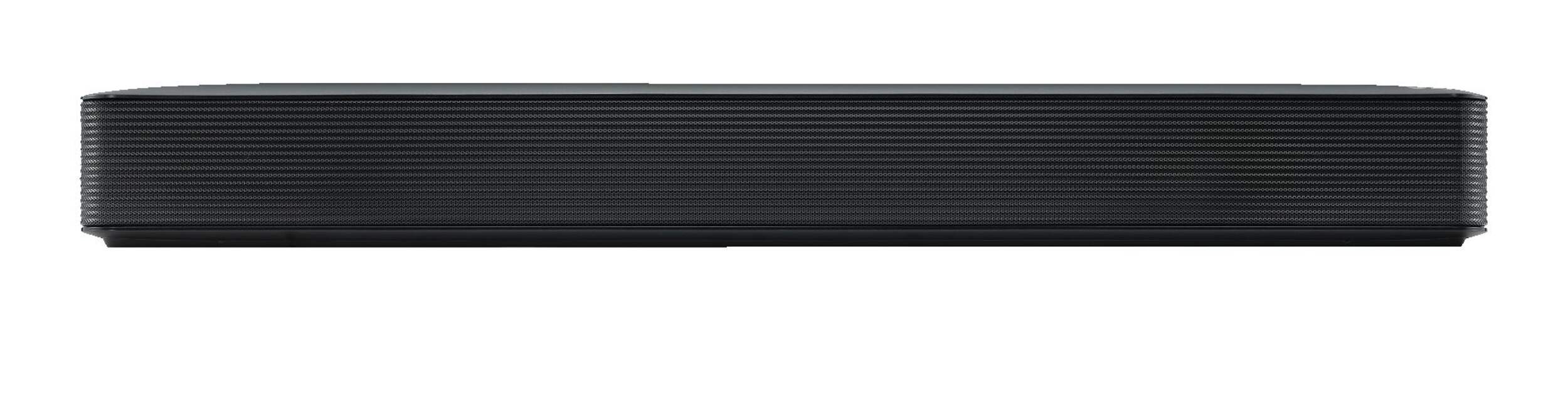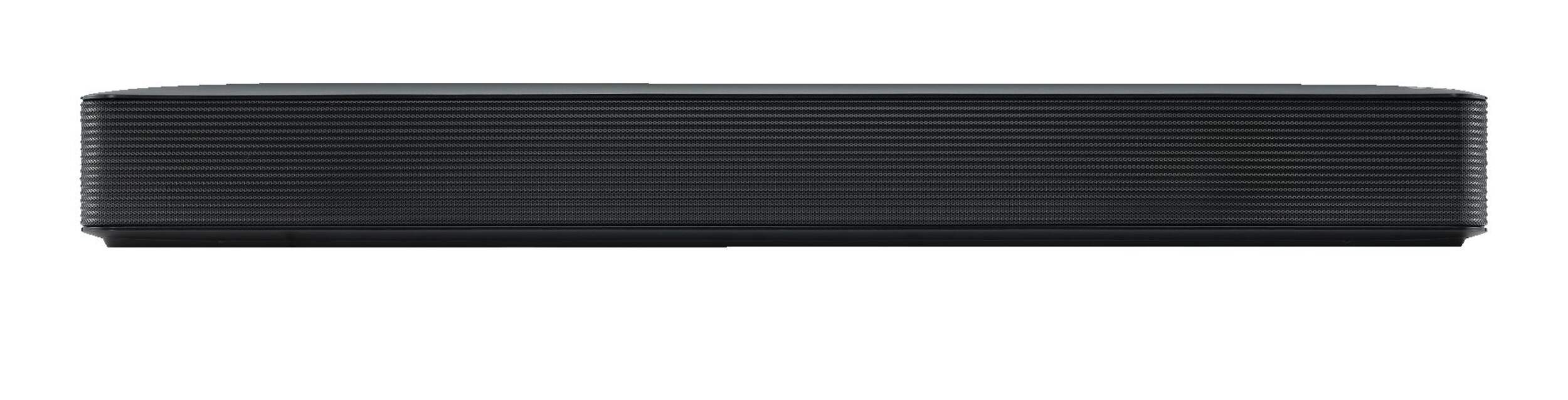


LG SK1 2.0 Channel Soundbar, TV/Home Audio Speaker w/ Bluetooth, 26-In
Unfortunately, this product is discontinued in your selected store and nearby stores.
You may be interested in these similar products shown below.Similar Items


Quebec residents: For information on maintenance and repair click here.
Similar Items

Product Details
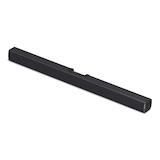
The LG SK1 40W 2.0 Channel Bluetooth Sound Bar is a compact, unobtrusive addition to any TV setup, ideal for smaller living spaces. With Bluetooth connectivity, it easily links with TVs, smartphones, and tablets. This model offers the convenience of controlling basic functions with TV remotes from eight leading manufacturers, including LG, Vizio, Sony, Samsung, Philips, Panasonic, Toshiba, and Sharp. The 40W, 2.0 channel power provides a broad range and an optimal sound experience. Simple to set up, the package includes a remote and optical cable.
LG SK1 40W 2.0 Channel Bluetooth Sound Bar has a compact, streamlined design that displays discreetly when paired with most TVs and is great for smaller living spaces
Bluetooth wireless connectivity makes it easy to link TVs, smartphones, and tablets for increased functionality
Ability to control basic functions with most TV remotes from 8 of the leading manufacturers (LG, Vizio, Sony, Samsung, Philips, Panasonic, Toshiba and Sharp) for added convenience
40 W, 2.0 channel power ensures great range and an optimal sound experience
Easy to set up and enjoy
Includes remote and optical cable
Model #: SK1
| Part Number | SK1 |
|---|---|
| Colour | Black |
- This product carries a 1 year exchange warranty redeemable at any Canadian Tire store.
- Pick Up is free at most stores (some stores require a minimum order value before tax)
- Shipping fee is based on size and weight of products and distance from address to store
- Same-Day Delivery costs $9.99 per order
- Online Ordering Information
- Most products can be returned or exchanged at any Canadian Tire store within 90 days of purchase
- Some products are non-refundable and non-exchangeable
- The return policy outlined above may not apply to the product you are currently viewing. For complete details and eligibility, please refer to our Return Policy for exceptions.
Compare Similar Products
Only Show Differences | ||||||
| Ratings | ||||||
| Colour | Black | Black | Black | Black | Black | |
| Colour Group | Black | |||||
| Package Depth (cm) | 21.10 cm |


Shop Related Products
- Weekly Deals
- Customers Also Viewed
- Top Trending Products
- More From This Brand
Weekly Deals



Review Highlights
Pros
Cons
Reviews
Customer Images and Videos

Filter Reviews
- soundbar
- price
- purchase
- quality
- setup
- satisfaction
- installation
- noise level
Bluetooth/Optical Out with heaing aids

Originally posted on lg.com/ca
Barre de son
Bad
Please reach out to our customer support team directly at 1-888-542-2623 (Monday-Sunday, 8 a.m. to 9 p.m. Eastern Time). We can walk you through advanced troubleshooting steps or explore other options for resolution.

Pas fameux
Prix et Son correct
Questions
Q: how does it connect to my tv, an older sony flat screen
a year agoA: For older TV’s hopefully you have composite inputs Red, White and Yellow if so you can use Digital to Analog Convertor (D to A), and and Fibre optic Y Cable from your cable box. Also you will need the component cable as well. Once the signal has been converted connect the component cable to the TV. I used the Prozac 192k D to A to convert Both were purchased through Amazon. You
a year agoHelpful?
Q: are SK1 and SKM1 the same thing
3 months ago
A: The LG SK1 2.0 Channel Compact Sound Bar with Bluetooth® Connectivity, and the LG Soundbar for TV with Bluetooth® Streaming, 2.0 Channel, SKM1, are the same. They just have a different packaging and are sold through different retailers...^Ivan.
3 months ago
Q: is a cord for model SK1 available
3 months agoA: The power cord for the LG SK1 2.0 Channel Compact Sound Bar with Bluetooth® Connectivity is hardwired into the unit...^Ivan.
3 months ago
Q: how can I get remote and cord
3 months agoA: The power cord for the LG SK1 2.0 Channel Compact Sound Bar with Bluetooth® Connectivity is hardwired into the unit. The LG Soundbar Remote Control, Part # COV33552438, can be ordered from LGParts.com [https://lgparts.com/products/cov33552438]...^Ivan.
3 months ago
Q: How to reconnect via Bluetooth to my TV
9 months agoA: You can try removing or un-pairing the LG SK1 2.0 Channel Compact Sound Bar with Bluetooth® Connectivity from your TV then try pairing it again to see if that resolves the issue...^Ivan.
9 months ago
Q: Anyway to use in conjunction with HomePod Stereo setup on an Apple TV?
a year agoA: Hey there Ryan! The SK1 is not necessarily designed to work directly with HomePod or Apple TV for audio output. However, you can set up your HomePod as the default audio output for your Apple TV by ensuring your HomePod is connected to the same Wi-Fi network as your Apple TV. Then, navigate to **Settings** > **Video and Audio** > **Audio Output** on your Apple TV, and select your HomePod or the stereo pairing with HomePod if you have two speakers set up. By following these steps, you’ll be able to enjoy audio from your Apple TV through the HomePod. If you happen to have any additional questions, feel free to send us a message or tag us on social media @LGUSSupport. We're always here for you! ~ Jupe
11 months ago
Q: Is there a subwoofer that I can use along with the sound bar?
a year agoA: Hello, Jay hood. WE do not have a Subwoofer that can be paired with the LG SK1 2.0 Channel Compact Sound Bar with Bluetooth® Connectivity. It is not designed for pairing with subwoofers...^Ivan.
a year ago
Q: instruction manual?
a year agoA: Hey there. We can help you get the owner's manual for your LG soundbar. You can download the owner's manual at the bottom right side here: https://www.lg.com/us/support/product/lg-SK1.AUSALLK. For more questions, private message us on social media @LGUSSupport. We're always happy to help! ^David
a year ago
Q: Do I need to turn off my sound bar with my remote when I turn off my TV
a year agoA: Hey Janey! You don't need to turn off your soundbar with your remote separately from turning off your TV. You can actually get your LG sound bar to turn on and off alongside your TV with the auto-power feature. To enable auto power on for the sound bar, follow these steps: 1. Press the AUTO POWER button on the remote control. 2. The sound bar display window will show the current settings. 3. If you press the AUTO POWER button once more, the auto power on/off function will be enabled. We hope this information helps. If you have questions, please send us a private message on social media @LGUSSupport. We're always here to assist! ~ Jupe
a year ago
Q: Why does the blue light which I believe is Bluetooth connect come on when the unit is not being used or in standby mode?
a year agoA: Hi there! Is the light blinking? If the light is on, then your soundbar is connected to a Bluetooth device. If it's blinking, it's waiting for a Bluetooth connection or connecting to a Bluetooth device. If you have further questions, we'd be happy to help clarify what's going on! Please message us on social media (@LGUSSupport). It'll be our pleasure to help! ^Chris
a year ago