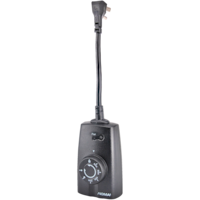

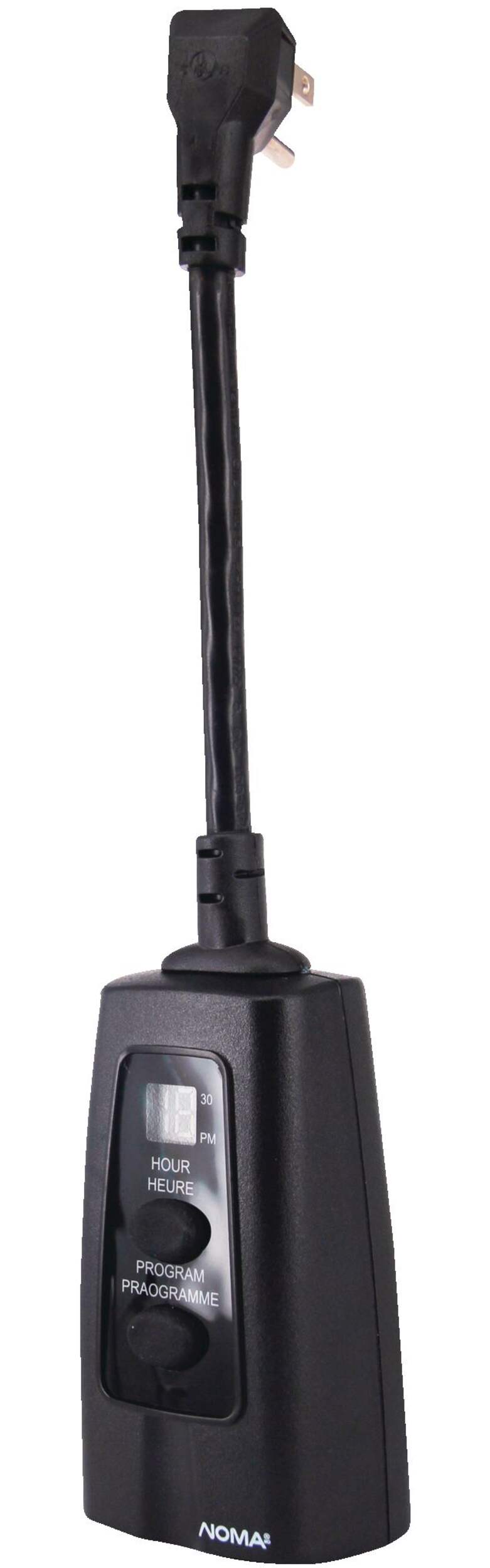
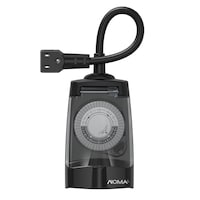
NOMA Outdoor Timer, 1 Grounded Outlet, Black
Unfortunately, this product is discontinued in your selected store and nearby stores.
You may be interested in these similar products shown below.
Quebec residents: For information on maintenance and repair click here.

Similar Items


Product Details
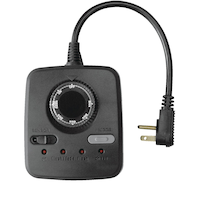
The NOMA Block Heater Timer lets you start your vehicle as needed, and keeps your block heater turned off when not in use. With programmable times, it's easy to fully customize this timer to your needs. This heater timer has a clear cover that keeps it safe from outdoor conditions and a weather-resistant design that allows it to be used year-round. Designed with one grounded outlet for safe exterior use.
The NOMA Block Heater Timer with 1 Outlet is ideal for holiday lights, landscaping lights and block heaters to run them only when you need to save energy
Features 1 grounded outlet, 1 on/off setting per day and 30 minute intervals
Manual override on/off switch
| Part Number | 49112 |
|---|---|
| Advanced Features | Energy Efficient, Manual Override, Programmable, Weatherproof |
| Assembled Height (cm) | 32.00 cm |
| Assembled Height (ft) | 1.05 ft |
| Assembled Height (in) | 12.60 in |
| Assembled Length (cm) | 6.50 cm |
| Assembled Length (ft) | 0.21 ft |
| Assembled Length (in) | 2.56 in |
| Assembled Weight (kg) | 0.19 kg |
| Assembled Weight (lb) | 0.42 lb |
| Assembled Width (cm) | 4.50 cm |
|---|---|
| Assembled Width (in) | 1.77 in |
| Assembled Width (mm) | 45.00 mm |
| Certifications | CSA Listed |
| Colour | Black |
| Display Type | LCD |
| Mount Style | Not Applicable |
| Number of Outlets | 1 |
| Number of Pieces | 1 |
| Operation | Corded Electric |
| Package Depth (cm) | 6.60 cm |
| Package Depth (in) | 2.60 in |
| Package Height (cm) | 24.90 cm |
| Package Height (in) | 9.80 in |
| Package Weight (kg) | 0.22 kg |
| Package Weight (lb) | 0.49 lb |
| Package Width (cm) | 13.90 cm |
| Package Width (in) | 5.47 in |
| Primary Material | Plastic |
| Product Use(s) | Outdoor |
| Timer Type | Digital |
| Timer Units | Hours, Minutes |
| Voltage (V) | 125 V |
| Wattage | 1875 W |
- This product carries a 1 year exchange warranty redeemable at any Canadian Tire store.
- Pick Up is free at most stores (some stores require a minimum order value before tax)
- Shipping fee is based on size and weight of products and distance from address to store
- Same-Day Delivery costs $9.99 per order
- Online Ordering Information
- Most products can be returned or exchanged at any Canadian Tire store within 90 days of purchase
- Some products are non-refundable and non-exchangeable
- The return policy outlined above may not apply to the product you are currently viewing. For complete details and eligibility, please refer to our Return Policy for exceptions.
Compare Similar Products
Only Show Differences | |||||
| Ratings | |||||
| Cord Length (m) | 2.00 m | 4.57 m | 10.00 m | 3.05 m | |
| Number of Outlets | 3 | 3 | 3 | 3 | |
| Number of Conductors | 3 | 3 | 3 | 3 |


Shop Related Products
- Weekly Deals
- Customers Also Viewed
- Top Trending Products
- More From This Brand
Weekly Deals


Review Highlights
Pros
Cons
Reviews
Customer Images and Videos
Filter Reviews
- purchase
- light
- price
- ease of use
- instructions
- settings
- quality
- for cold weather
Le meilleur!
Great buy and value
Ground timer
NOT WORTH IT
No, I do not recommend this product.
Easy programmable timer
Questions
Q: NOMA TIMER INSTRUCTIONS Hello there, I purchased the Noma Timer last year and it is still working, the only problem is i can't remember how to set it up to turn my christmas lights on and off. thanks for your help
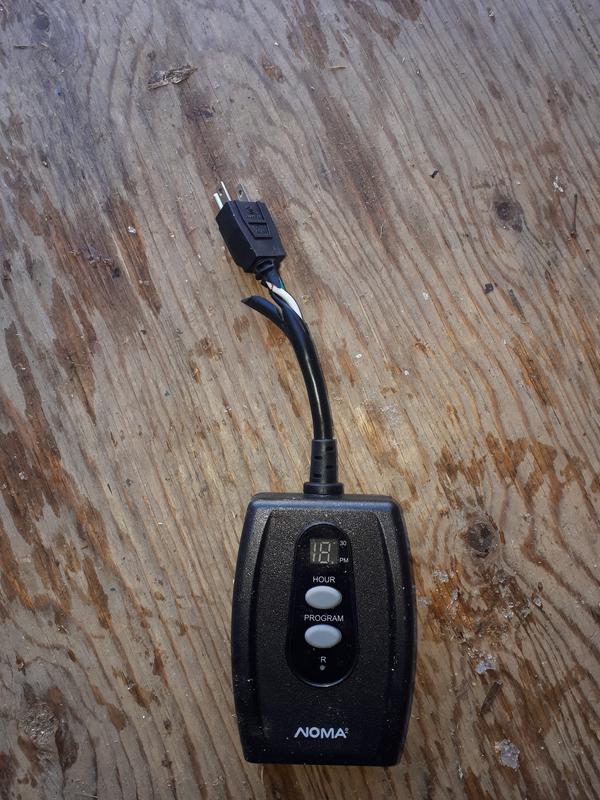
18 years agoA: 1.plug it in 2.C will show Press time button until you have reached the current time 3.press mode once P will show 4.press time until you reach the desired start time 5. press mode once more E will show 6. press time until the desired shut off time is shown 7. press mode again to return to the current time Thats it. TIP: the little dot on the bottom right indicates pm time
Anonymous14 years agoHelpful?
Q: Hello I would like to know what is the meaning of Zero on display Also can you unplug the cable from vehicles before heating timing is done Thank you
3 years agoA: It can be unplugged at anytime it will just count down anyway. I like to leave it plugged into the cord but it will keep its memory of your original timer settings you entered the power is removed. I think the double zero is the starting number for the length of time you enter in as an on time
3 years agoHelpful?
Q: Noma timer N1505 - at step where the E flashes, I just get a number. Help
13 years agoA: I have the 1506. On this model at the step where the E flashes, I get the number 1. I then push the button until I get the number I want, which for me is 6. This is 6am. Then the bottom button to set it to "run" Hope this works for you.
13 years agoHelpful?
Q: Instructions . J'ai malheureusement perdu le feuillet d'instruction et ni moi ou mon épouse ne se rappelle comment les régler. Quelqu'un pourrait-il m'aider? Merci
18 years ago- Translate with Google
A: Voici en photo les instructions...
8 years agoHelpful?
Q: Instructions I bought two of these timers last year for my Christmas lights. They are wonderful items but I lost the instructions on how to program them. I would hate to have to buy another one to be able to use them. Thanks
Anonymous18 years agoA: UPDATE, 13 Dec 09, the Web link has changed to: http://www.ccixpress.com/cci/Marketing/Woods_Canada_Timer_Instructions/49122.pdf and all directions are now there
Anonymous16 years agoHelpful?
Q: IS it waterproof from wet snow ?
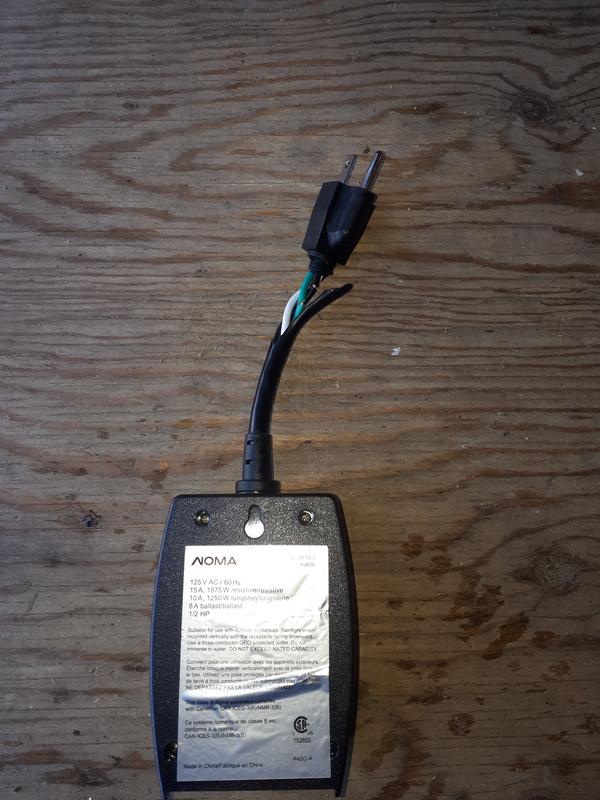
5 years agoA: The SKU# 0528835 is rainproof, suitable for use with outdoor appliances. Just some reminders: Rain tight when mounted vertically with the receptacle facing downward. Use a three-prong GFCl-protected outlet. Do not immerse in water. DO NOT EXCEED RATED CAPACITY.
5 years agoHelpful?
Q: I set up as per enclosed instructions to test before coming deep freeze this week, avg nigh -30 C. However The Unit continues to display the original time of day when I set it at 3 pm. I assumed as the hours go by the Unit would display current time?
5 years agoA: Correct, as the time goes by, the LCD will display the current time. Just a reminder, since the basic interval is 30 minutes, so it will flash the time at the 30 minutes basis. When the small red dot lit up (On the right upper corner,), it means 30 minutes. For example; If the user set the current time as 3 pm, after half an hour, the right upper corner red dot will lit up, it means 3:30 pm. When time goes by, when at 4 pm, the LCD display will show 4 pm, the dot in the right upper corner will turn off.
5 years agoHelpful?
Q: Does this automatically go on and off every 30 min? If not how do you program it for that? Ive read the manual numerous times and it doesnt mention anything about going on and off every 30 min.
7 years agoA: Yes, you can get on/off automatically by programming the timer setting, and it repeats daily if timer was not unplugged or power off, but the time can only be set at 30 minutes intervals. Refer to the program step below: 1. Plug timer into grounded outlet, then you will see C flashes on LCD display. 2. Set current time: Press Hour button to set your current time, and time can only be set at 30 minutes intervals; 3. To program the timer: set your desired ON/OFF time. Press Program button, P flashes and you can press Hour to set "On" time; Press Program button again, then E flashes and press Hour button to set OFF time. Timer will turn of/off automatically based on settings. If you want to change your current time setting, please unplug the timer and plug it back in and repeat the step above. If power off/unplug, then we need to redo all settings.
7 years agoHelpful?
Q: Using block heater in snow or rain I park my car in open air so there is chance of snow or rain. Can i use this timer safely outside weather in snow or rain ?
7 years agoA: As per the manual: This is suitable for use with outdoor appliances. Rain tight when mounted vertically with the receptacle facing downward. Use a three-conductor GFCI protected outlet. Do not immerse in water. Do not exceed rated capacity. This is not for permanent installation. Do not install or use for more than a 90 day period per year.
7 years agoHelpful?
Q: Has there been any quality issues with this product? I just bought one and it didn't work. I got a replacement it also doesn't work.
8 years agoA: We are sorry to hear of your difficulty with this product. Please contact our office at 1-800-387-8803 to discuss this further.
8 years agoHelpful?